How to Export Mocha Pro Tracking Data to After Effects Null Objects
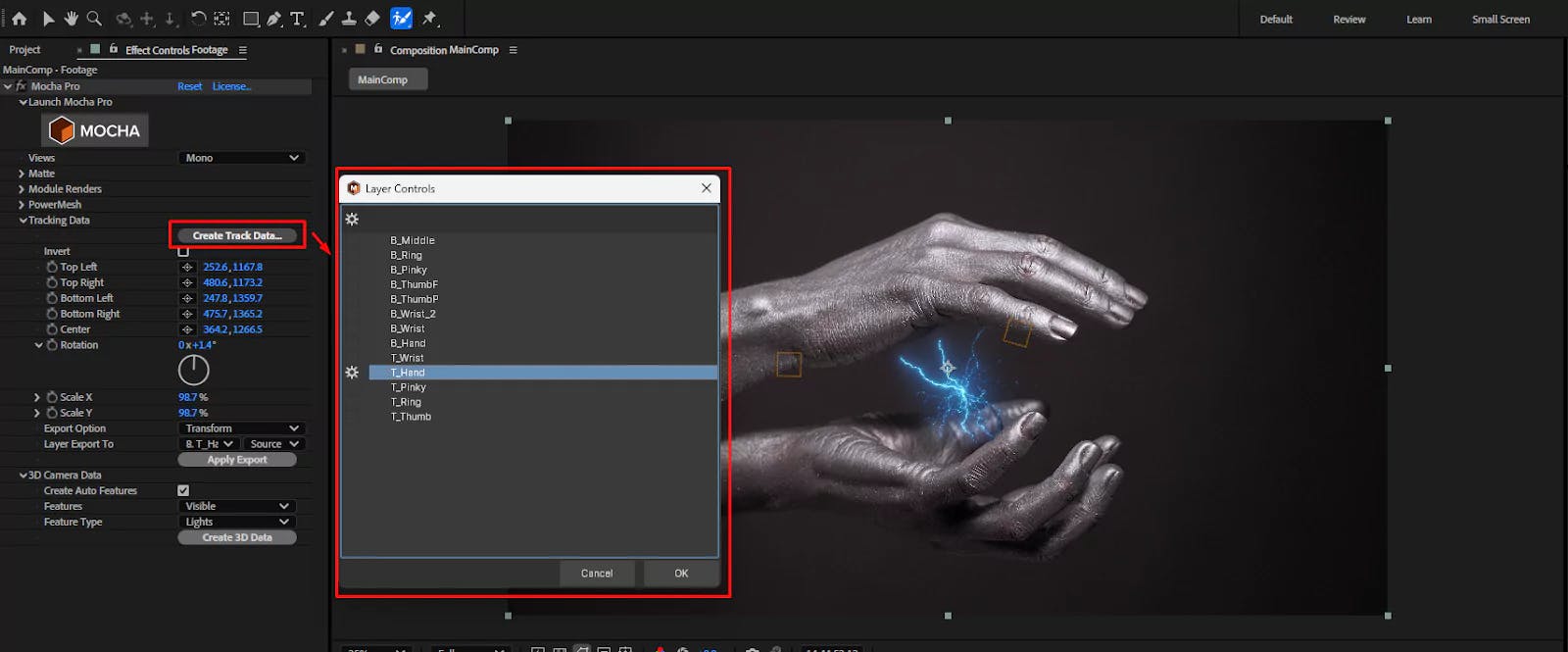
Create an After Effects composition with the footage, the composition settings must be the same as the footage settings (ie- Dimension, FPS)
Add the Mocha Pro effect to the footage.
From the effect panel press Open the Footage in Mocha Pro
Track the individual areas you need for precise motion tracking.
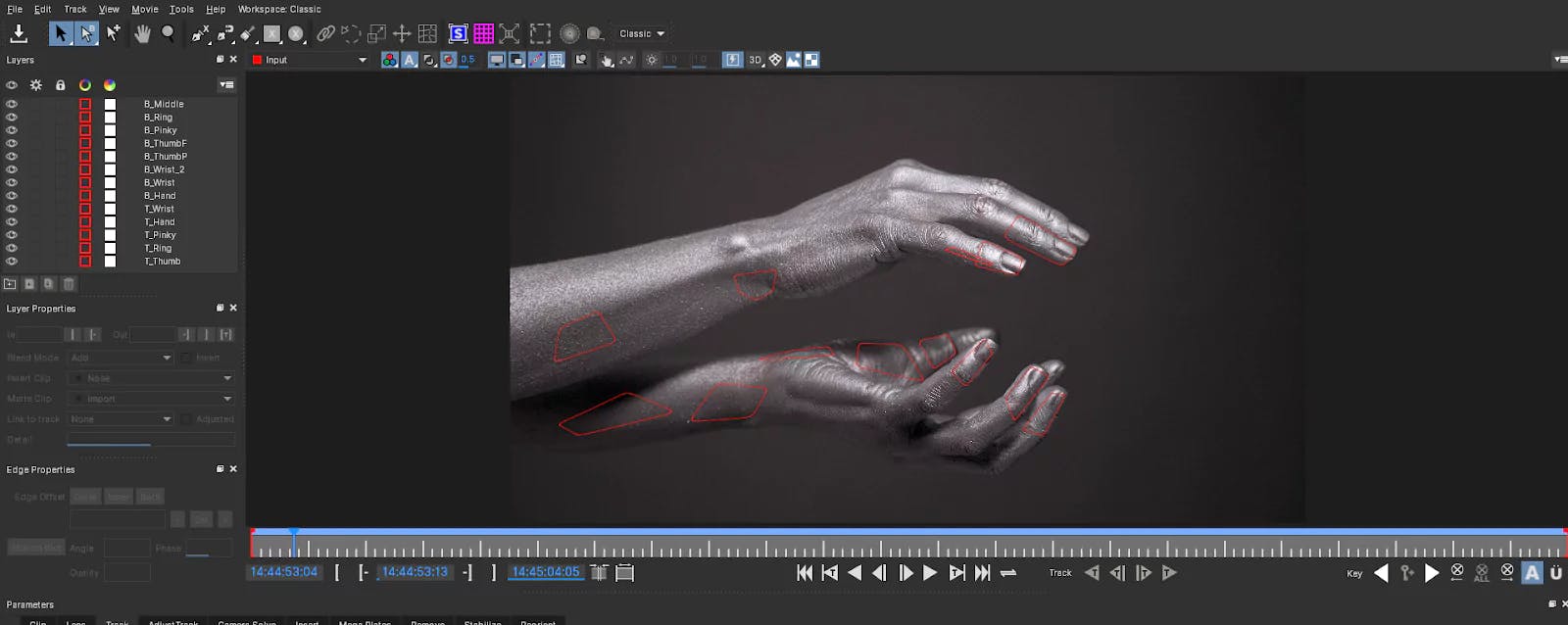
Once the tracking is done, check the list of Track Data. Create Null Objects based on your requirements.
In this example, multiple Nulls are created, and all their positions are set to default.
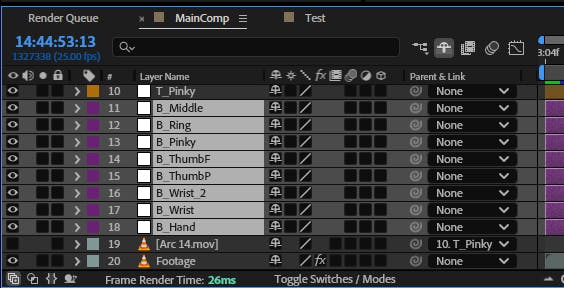
Select the specific tracking data you want to transfer to a new Null layer.

Transform from the Export Option.Layer Export to, select the desired Null (in this case, it's B_Pinky).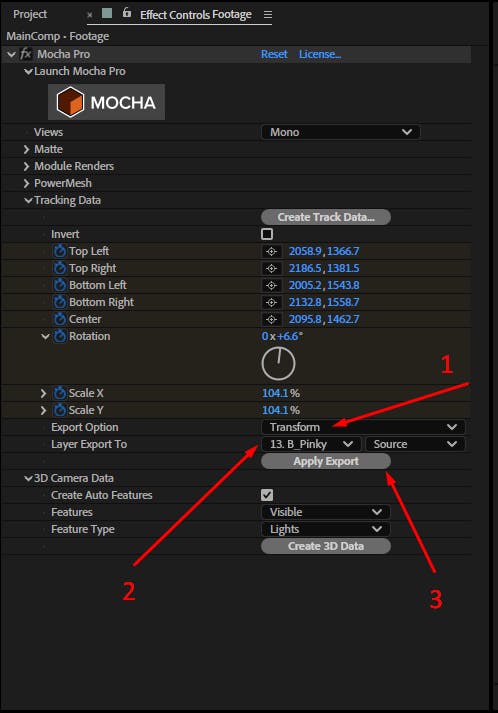
To check if the tracking data has transferred successfully:
Null layer.U on your keyboard to reveal the keyframes.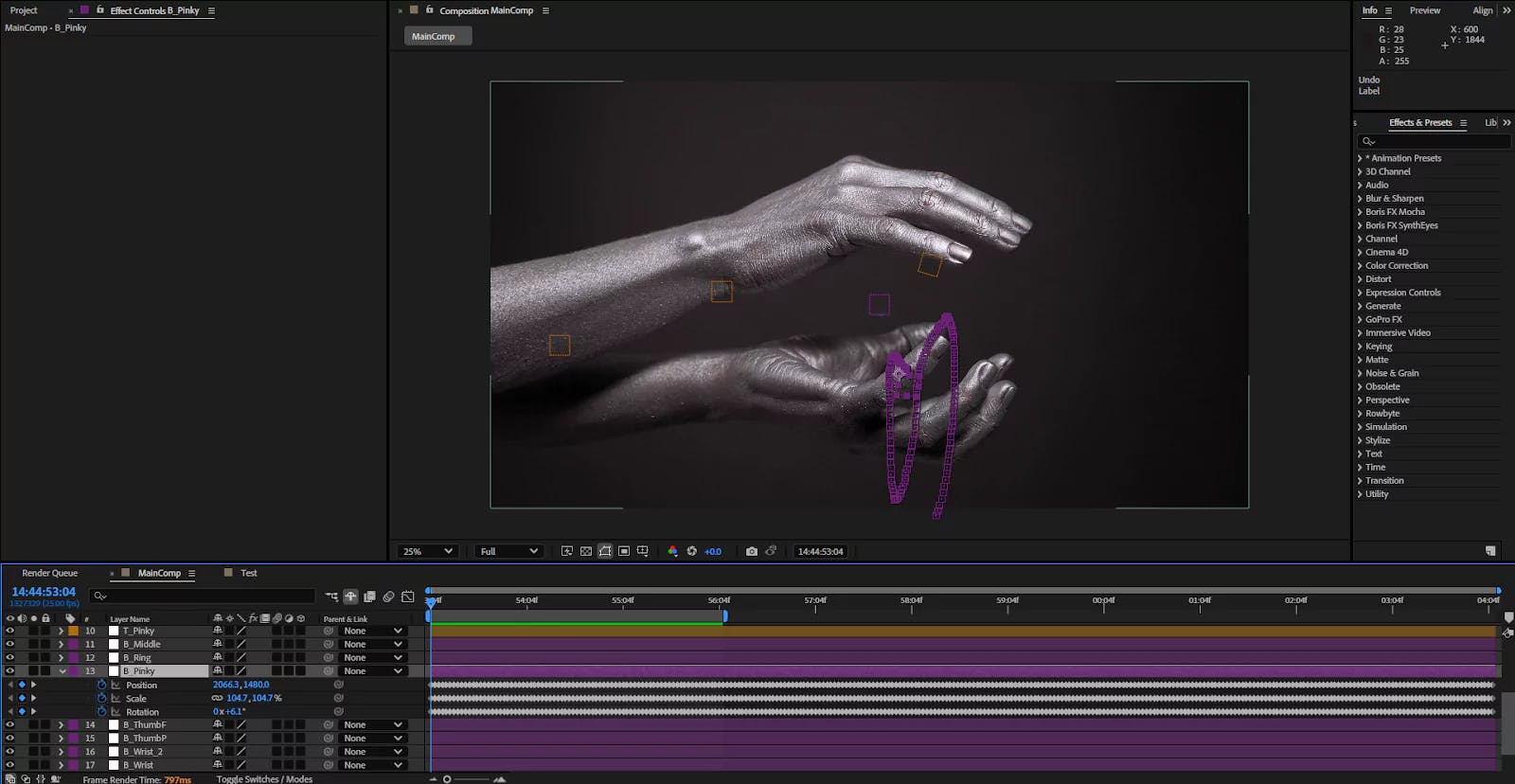
You’ll now see that the Null contains the tracking data from Mocha Pro.

Stop paying for expensive stock assets! Discover the top free sources for video, music, SFX, and photos to level up your DaVinci Resolve edits today.
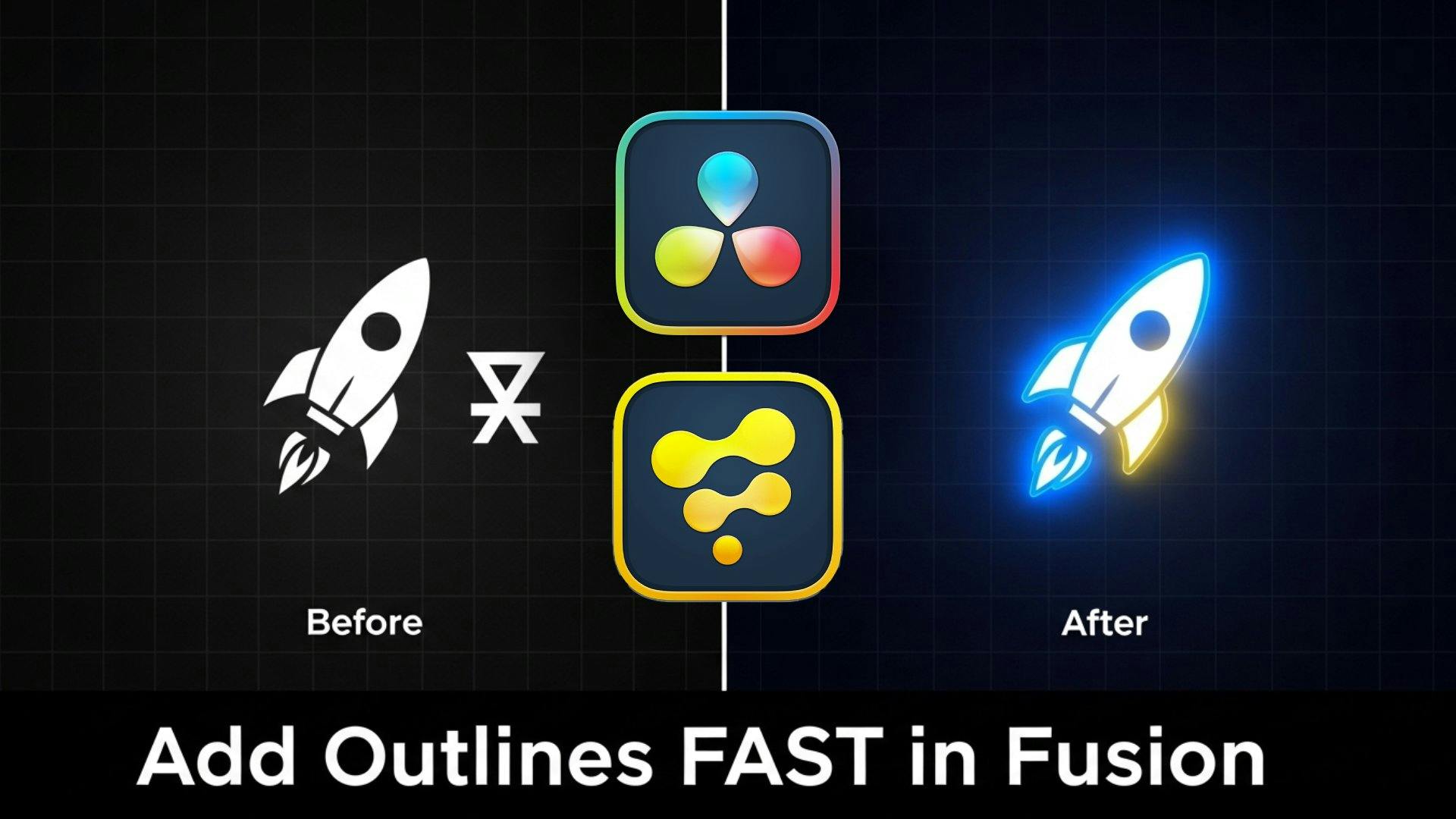
Learn a quick trick to add a clean, procedural outline to any image with an alpha channel in DaVinci Resolve Fusion using the Delta Keyer