How to add the WSL to Termius

You need to have an SSH server installed and running on your WSL distribution. You can install OpenSSH server on Ubuntu by running:
sudo apt update
sudo apt install openssh-server
Determine the IP address of your WSL instance. You can find this by running
ip addr
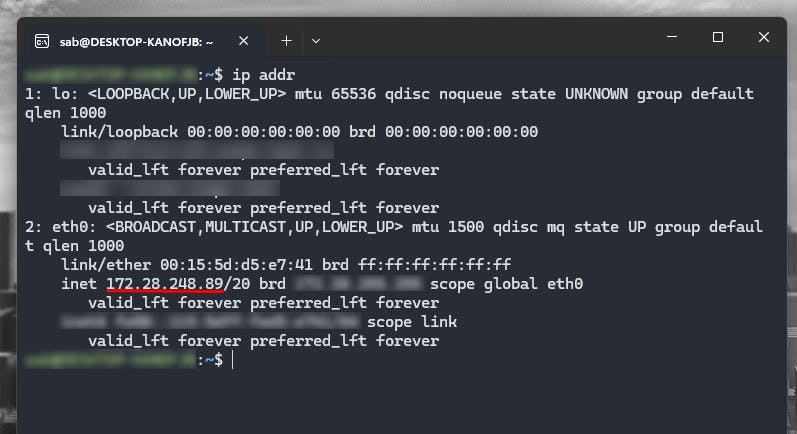
You may need to configure SSH to allow connections from Termius. By default, SSH should be configured to accept connections from localhost, but if you have specific security settings, you may need to adjust this.
Open Termius.
Click on the "+" button to add a new host.
Choose "SSH" as the connection type.
Enter the WSL IP address as the hostname.
Set the port to 22 (default SSH port).
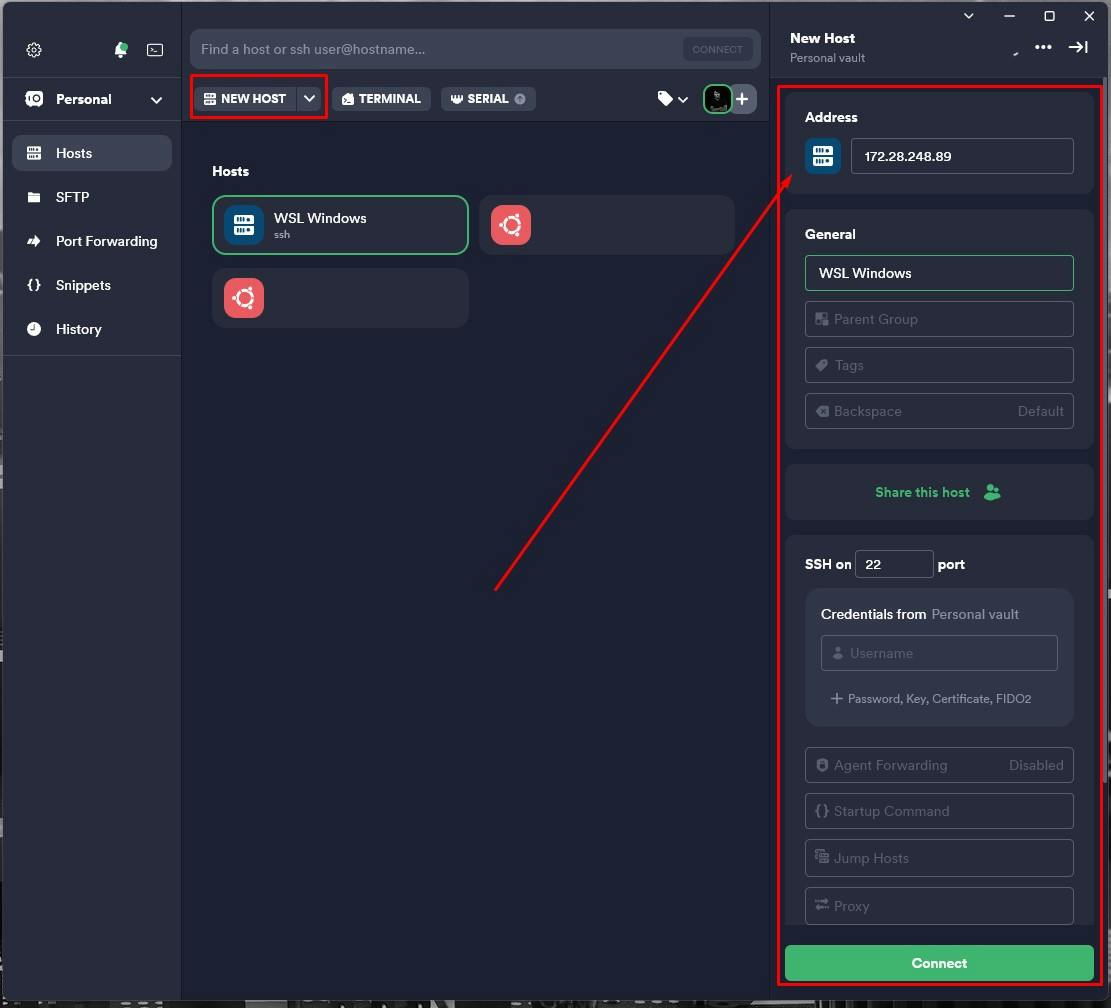
Enter your **WSL username **and **password **(if applicable).
Optionally, give this connection a name for easy identification.
Click "Save" to add the connection.
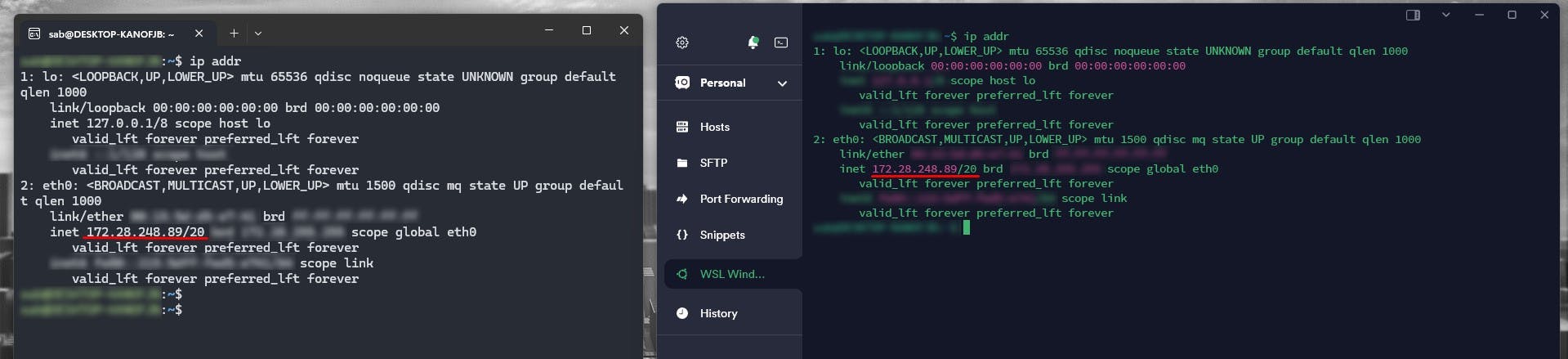
Now you should be able to connect to your WSL instance through Termius. Click on the connection you just added, and it should establish a connection to your WSL environment.

Just created a new Git branch and see 500+ modified files? Uncover the GitHub Desktop on Windows trap and resolve annoying line ending & permission errors step-by-step.

Preventing AI disasters in WSL! Learn how to configure Google Antigravity for Frappe & ERPNext projects to avoid 'sudo' errors and master your dev environment.

Step-by-step guide to installing Frappe 16 and ERPNext on Windows using WSL. Learn to set up Python 3.14, Node 24, and PostgreSQL for a next-gen dev environment.