Writing Real Custom API Logic in Frappe

You've already got the built-in resource API working — GET /api/resource/Sales Invoice/INV-001 returns exactly what you'd expect, filters work, your API key authenticates cleanly. Then product asks for something else: "when someone approves an invoice, mark it approved, create a linked notification record, and email the customer — all in one call." 🤔 That's not a CRUD operation on one DocType anymore.
You could try to fake it with three sequential resource API calls from the frontend, but then the frontend owns business logic that belongs on the server, and a partial failure leaves your data in a weird half-state. This is exactly the gap @frappe.whitelist() exists to fill — turning any Python function you write into your own custom, callable API endpoint. 🚀
@frappe.whitelist() is the right tool versus the built-in resource APIallow_guest changes the trust modelfrappe.throwbench new-app (this is not ERPNext-specific — any Frappe app works)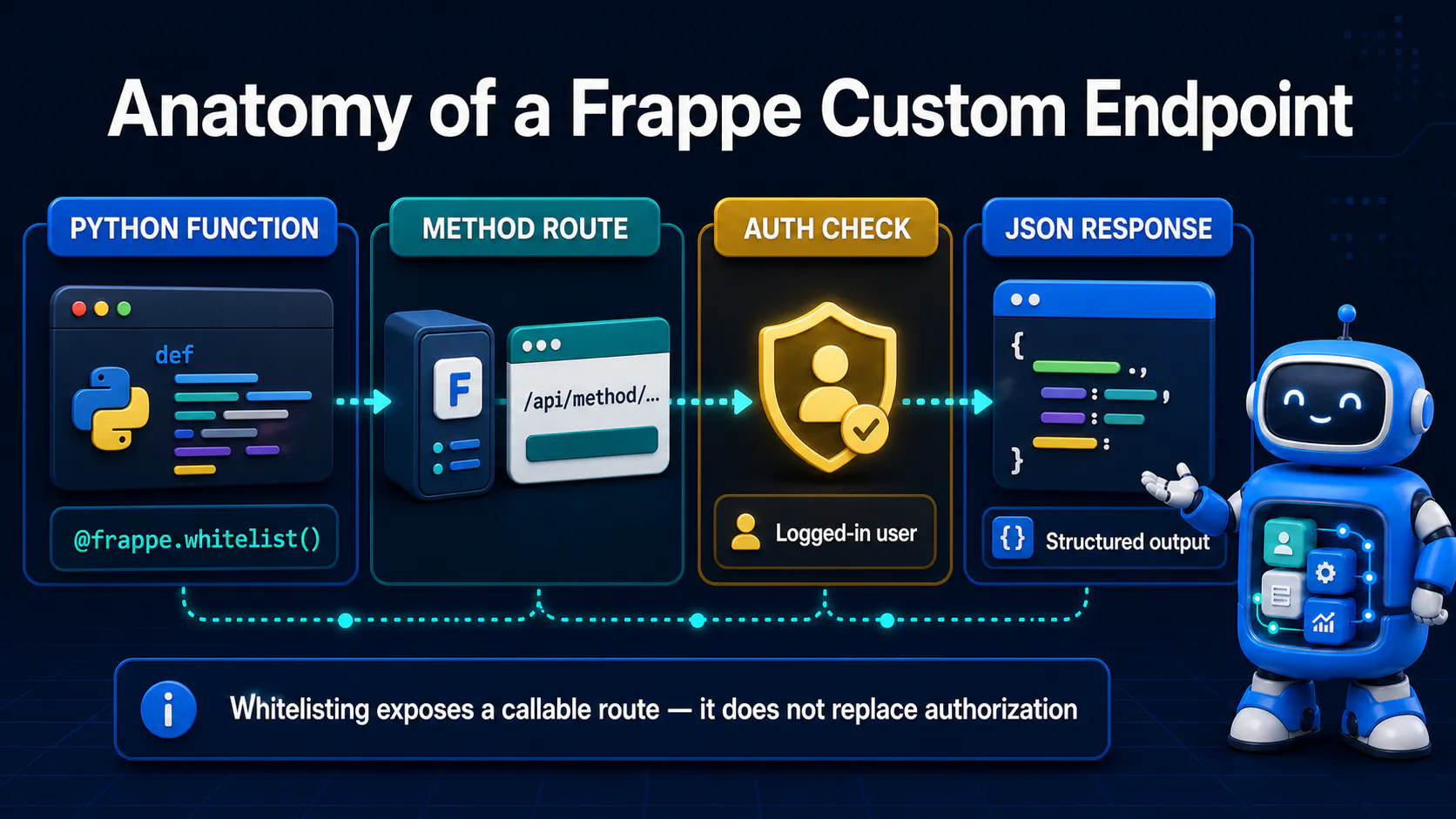
The built-in resource API (/api/resource/<DocType>) is Frappe's generic CRUD layer — it reads and writes one DocType's fields based on standard REST conventions. It's fast to use precisely because it's generic: it doesn't know or care about your business rules.
A whitelisted method is the opposite: it's a specific Python function you wrote, exposed at its own URL, that can do anything your Python code can do — touch multiple DocTypes, call external services, run in a single database transaction, return whatever shape of data you want. 💪
Think of it this way: the resource API is a vending machine 🥤 — put in a DocType name, get out standard rows. A whitelisted method is a bespoke API you're handing to callers, built to do exactly one job you defined.
Under the hood, @frappe.whitelist() just registers your function in a lookup table Frappe's request router checks before executing anything. Without that decorator, a Python function is invisible to the web layer entirely — no route exists for it, whitelisted or not.
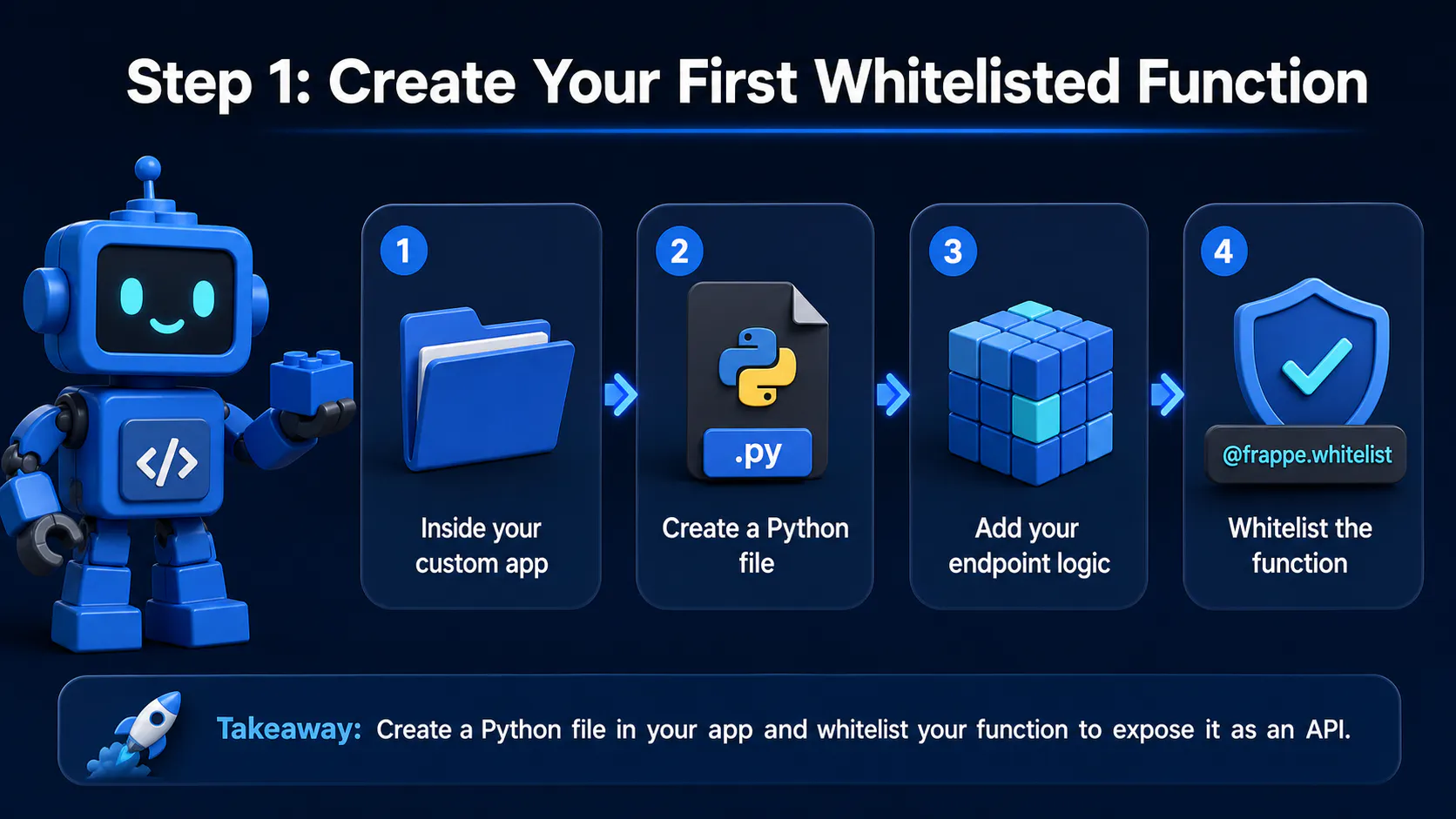
Section visual: Create Your First Whitelisted Function.
Inside your custom app, create a Python file for your endpoint logic (we'll organize this properly in a later step). Start simple:
# my_app/api/shipping.py
import frappe

@frappe.whitelist()
def calculate_shipping_cost():
    order_id = frappe.form_dict.get("order_id")

    if not order_id:
        frappe.throw("order_id is required")

    order = frappe.get_doc("Sales Order", order_id)
    weight = sum(item.weight or 0 for item in order.items)
    cost = round(weight * 2.5, 2)

    return {"order_id": order_id, "shipping_cost": cost}
This is now reachable at:
GET/POST /api/method/my_app.api.shipping.calculate_shipping_cost
The URL path is generated directly from the Python import path of the function — <app>.<module_path>.<function_name> — not from any route you configure separately. 🧭
⚠️ Common Mistake: Assuming
@frappe.whitelist()only makes a function available inside Frappe (client scripts, server scripts). It also opens an HTTP route immediately, reachable by anyone who knows or guesses the URL, subject only to the session/auth rules below.
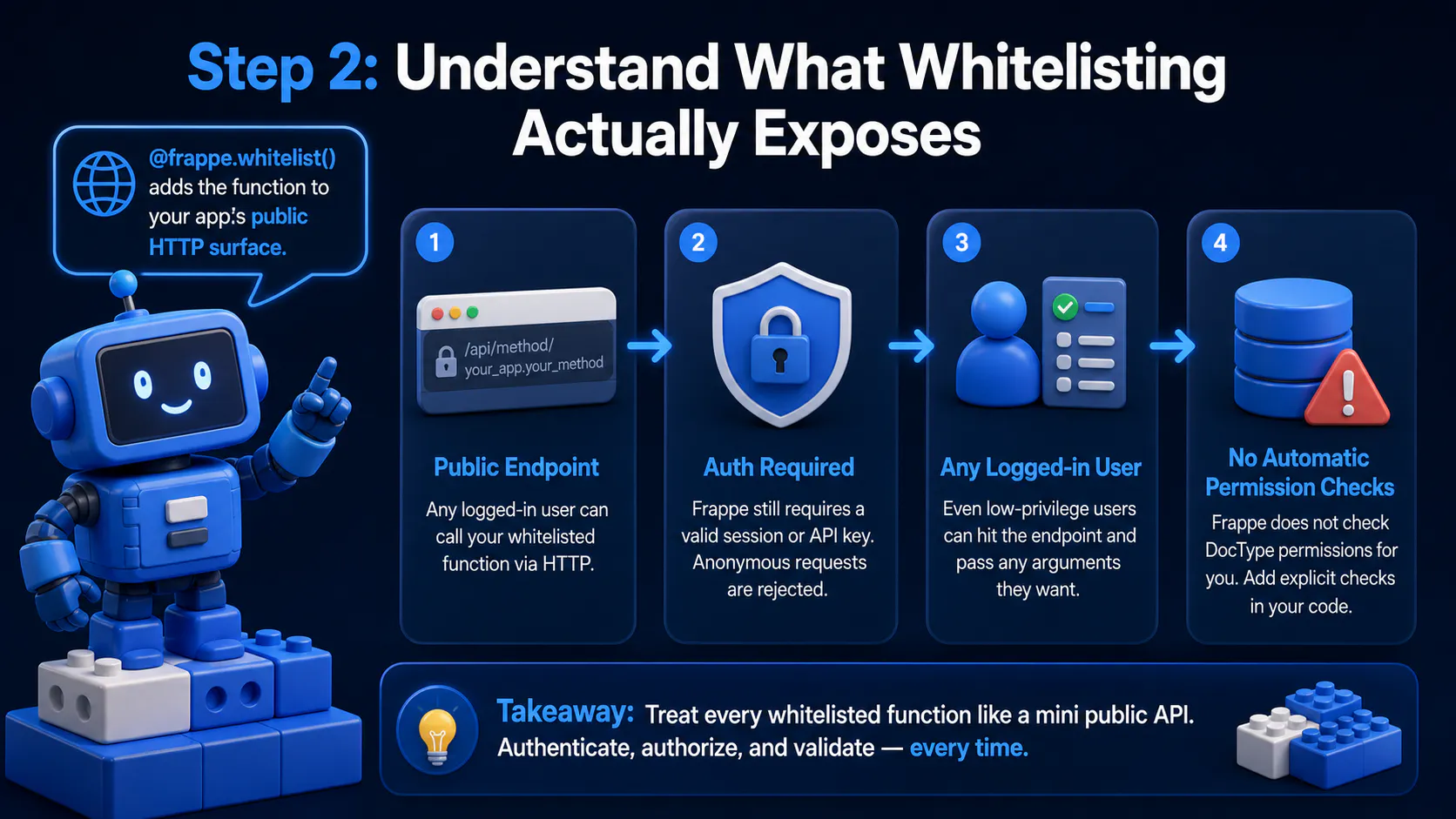
Section visual: Understand What Whitelisting Actually Exposes.
This is the single most important security concept 🔒 in this whole guide, so it's worth stating plainly: @frappe.whitelist() makes a function part of your app's public HTTP surface.
By default, Frappe still requires a valid session or API key — an anonymous request gets rejected. But "requires auth" is not the same as "safe." Any logged-in user, even one with minimal permissions, can hit that URL and pass in whatever arguments they want.
Frappe does not automatically check DocType-level permissions inside a whitelisted function just because the function touches a DocType. If your code does frappe.get_doc("Sales Order", order_id) without checking frappe.has_permission(), a low-privilege user could read data they shouldn't via your custom endpoint, even if the resource API would have blocked them. 🚨
💡 Pro Tip: Treat every whitelisted function like a mini public API contract. Validate inputs, check permissions explicitly with
frappe.has_permission()or role checks, and never assume "it's only called from our own JS" — nothing enforces that assumption at the HTTP layer.
allow_guest=True vs the Authenticated Default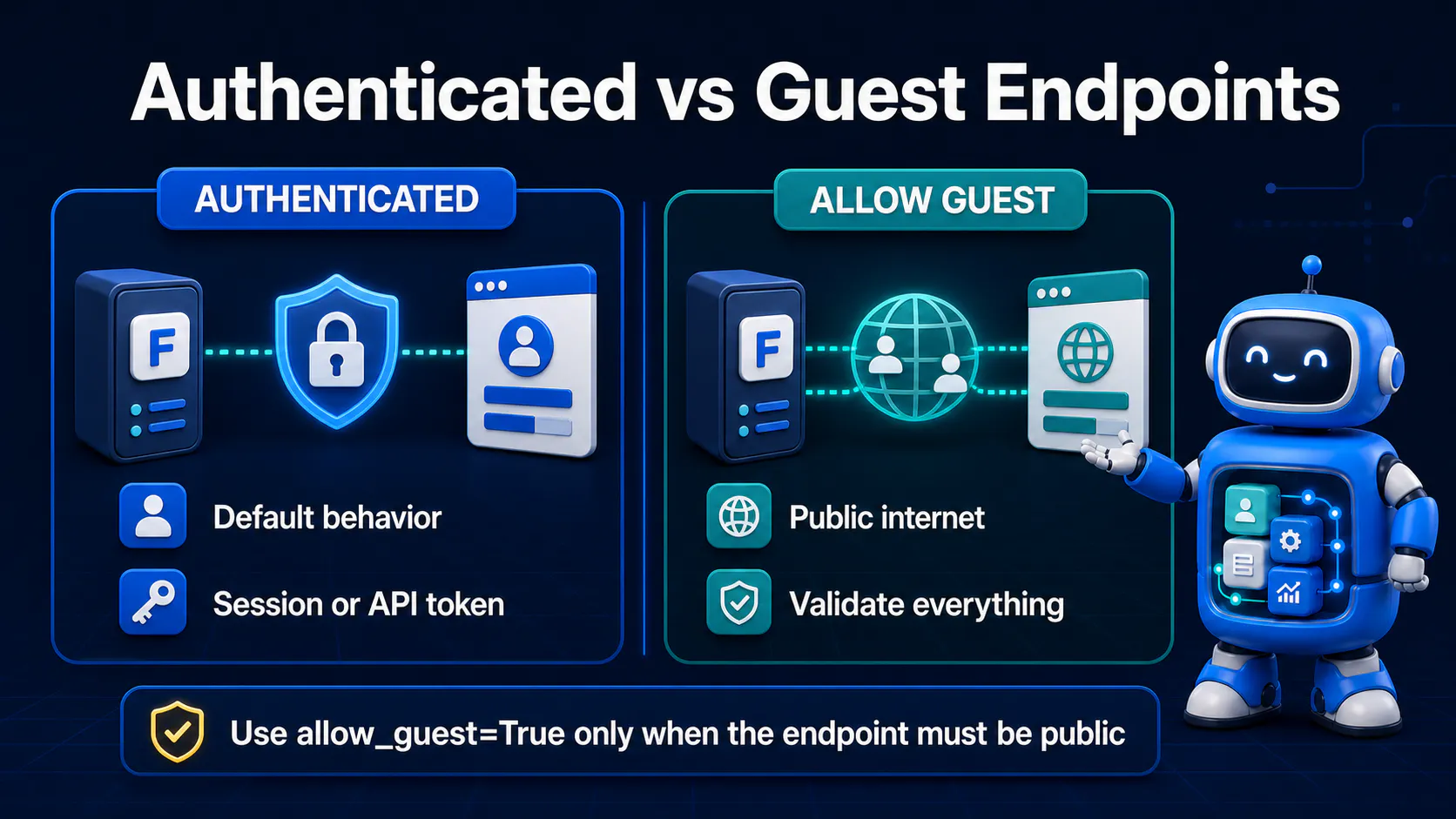
By default, @frappe.whitelist() requires an authenticated session (cookie-based session or API key/secret header). That's the right default for almost everything — invoice approvals, internal reports, anything tied to a specific user.
Sometimes you genuinely need a fully public endpoint 🌍 — a webhook receiver, a public status-check page, a signup form callback. That's what allow_guest=True is for:
# my_app/api/webhooks.py
import frappe

@frappe.whitelist(allow_guest=True)
def payment_webhook():
    payload = frappe.request.get_json(silent=True) or {}
    signature = frappe.request.headers.get("X-Webhook-Signature")

    if not verify_signature(payload, signature):
        frappe.throw("Invalid signature", frappe.PermissionError)

    # process payload...
    return {"status": "received"}
Because a guest endpoint has no session context at all, Frappe can't rely on the normal permission framework to protect it — there's no logged-in user to check roles against. Every bit of validation, rate-limiting sanity, and signature/secret verification has to be written by hand inside the function. ✍️
⚠️ Common Mistake: Using
allow_guest=Truejust to make local testing easier, then forgetting to lock it back down. If an endpoint doesn't strictly need to be public, leave the authenticated default in place.
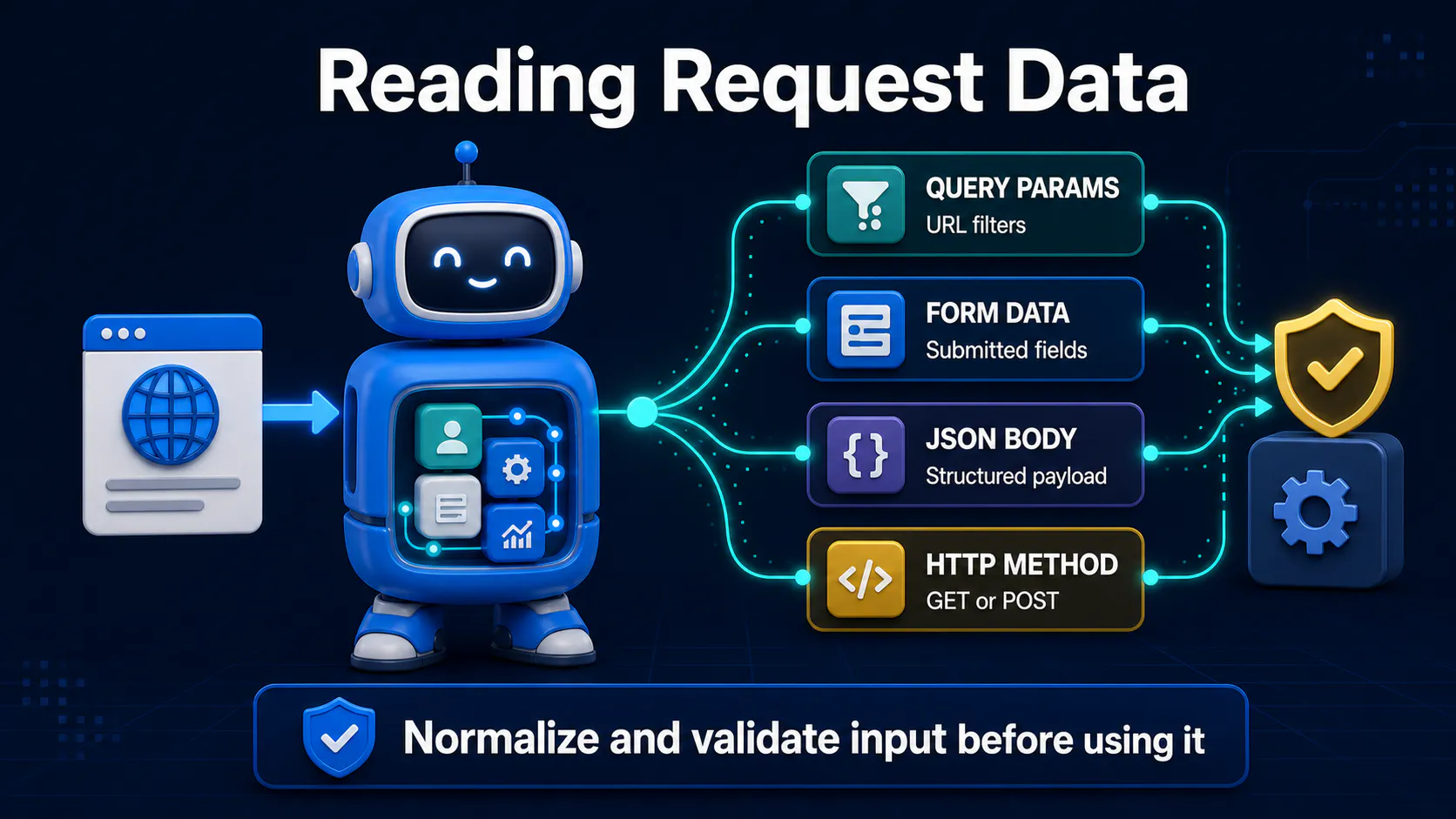
Frappe doesn't generate request schemas or auto-validate types for whitelisted methods — that's on you. The two main tools are frappe.form_dict (works for query params on GET and form-encoded/JSON body on POST) and frappe.request for lower-level access:
import frappe

@frappe.whitelist()
def approve_invoice():
    invoice_name = frappe.form_dict.get("invoice_name")
    send_notification = frappe.form_dict.get("send_notification", "1")

    if not invoice_name:
        frappe.throw("invoice_name is required")

    # form_dict values arrive as strings — cast explicitly
    send_notification = frappe.parse_json(send_notification) if isinstance(send_notification, str) else send_notification

    ...
For query string parameters specifically, frappe.request.args gives you Werkzeug's MultiDict directly:
page = frappe.request.args.get("page", 1, type=int)
Because everything arrives untyped (strings, or raw JSON-decoded values), always cast and validate ✅ — an int field coming through as "5" will break silently if you compare it to a real integer somewhere downstream without converting it first.
💡 Pro Tip: For anything beyond a couple of fields, write a small validation helper at the top of the function and
frappe.throw()immediately on the first bad field, rather than letting aKeyErrororTypeErrorbubble up as an ugly 500.
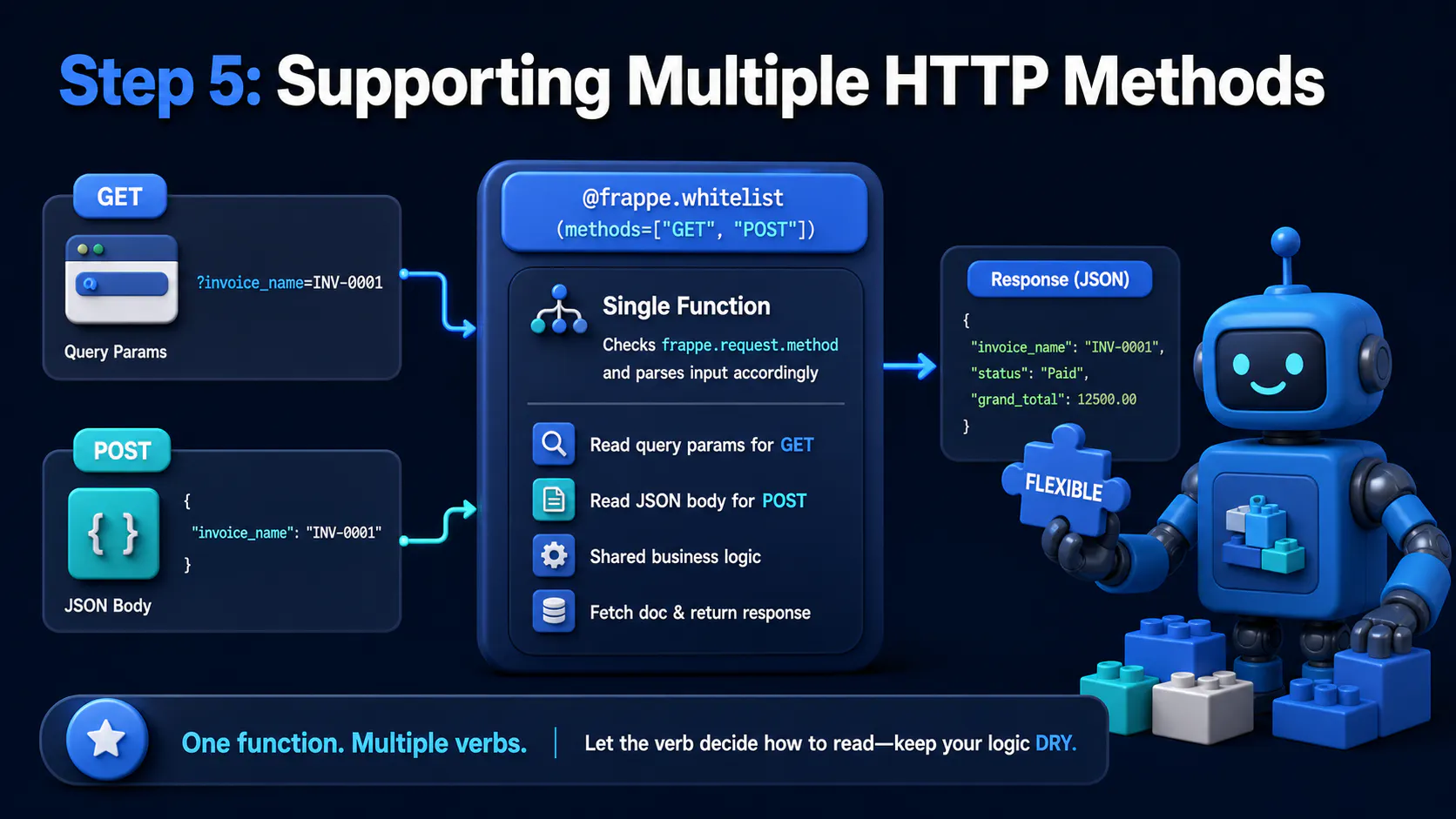
Section visual: Supporting Multiple HTTP Methods.
A single whitelisted function can respond to more than one HTTP verb by passing methods to the decorator:
@frappe.whitelist(methods=["GET", "POST"])
def invoice_summary():
    if frappe.request.method == "GET":
        invoice_name = frappe.request.args.get("invoice_name")
    else:
        invoice_name = frappe.form_dict.get("invoice_name")

    if not invoice_name:
        frappe.throw("invoice_name is required")

    doc = frappe.get_doc("Sales Invoice", invoice_name)
    return {"invoice_name": doc.name, "status": doc.status, "grand_total": doc.grand_total}
Checking frappe.request.method inside the body lets one function branch its parsing logic per verb, which is handy when GET should read from query params but POST should read from a JSON body — without duplicating the underlying logic in two separate functions. 🔀
If you omit methods entirely, Frappe defaults to allowing both GET and POST for whitelisted methods, so being explicit is mostly about self-documentation and, in some setups, restricting a mutating action to POST only.
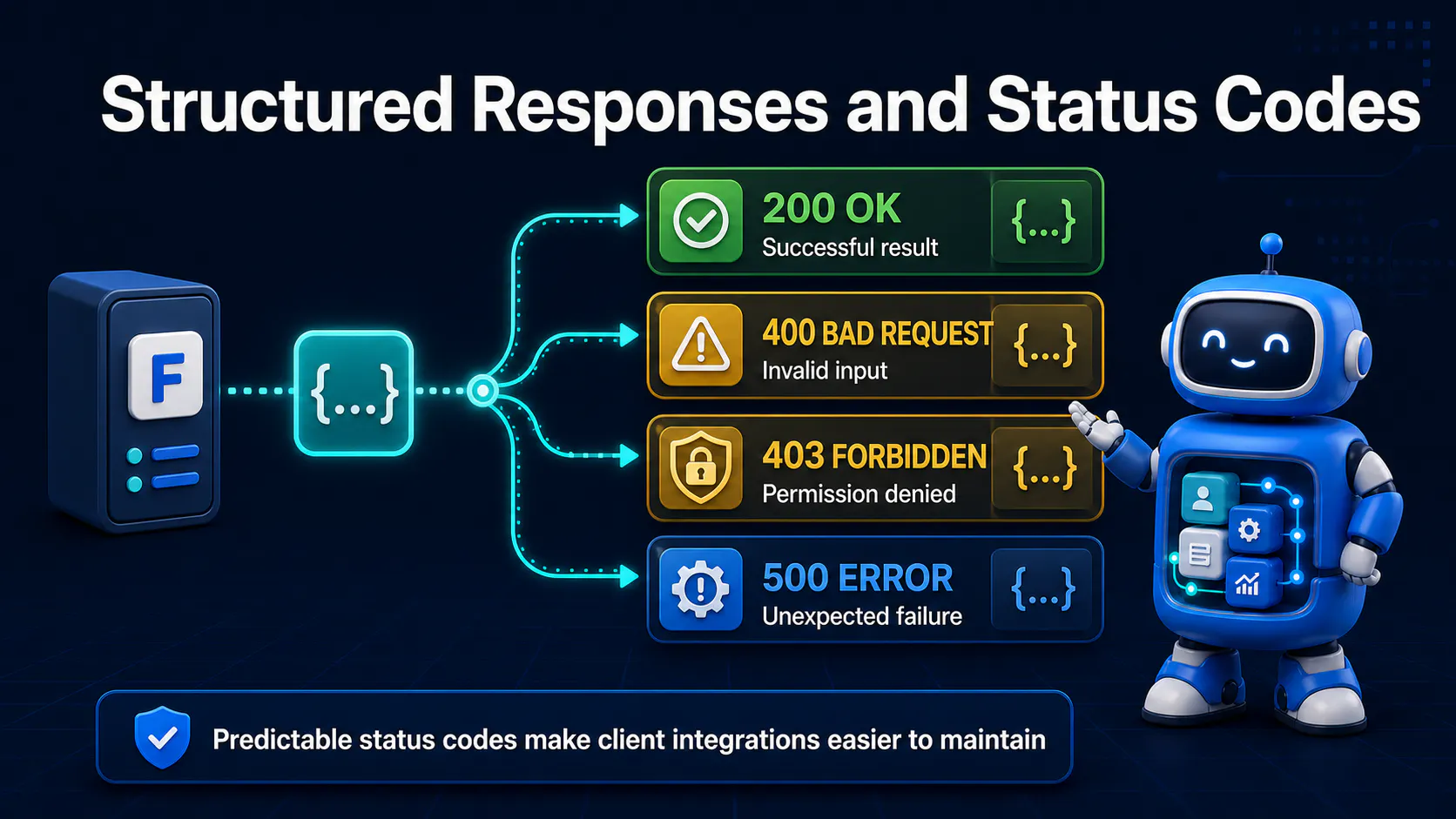
Whatever you return from a whitelisted function gets JSON-serialized and wrapped by Frappe automatically:
@frappe.whitelist()
def get_customer_stats(customer):
    total_orders = frappe.db.count("Sales Order", {"customer": customer})
    return {"customer": customer, "total_orders": total_orders}
The actual HTTP response body looks like:
{
  "message": {
    "customer": "CUST-0001",
    "total_orders": 12
  }
}
That message wrapper is a Frappe convention, not something you opt into — client code (JS or external) needs to unwrap it, which trips people up 🤦 the first time they hit a custom endpoint.
To set a custom HTTP status code (say, 201 Created for something you just inserted), write directly to frappe.local.response:
@frappe.whitelist(methods=["POST"])
def create_support_ticket():
    subject = frappe.form_dict.get("subject")
    if not subject:
        frappe.throw("subject is required")

    doc = frappe.get_doc({"doctype": "Support Ticket", "subject": subject}).insert()

    frappe.local.response.http_status_code = 201
    return {"name": doc.name, "status": "created"}
For errors, prefer frappe.throw() over raising a bare Exception — it produces a clean, structured error response and a sane status code instead of leaking a raw Python traceback:
if not frappe.db.exists("Sales Invoice", invoice_name):
    frappe.throw(f"Invoice {invoice_name} not found", frappe.DoesNotExistError)
frappe.throw() accepts an optional exception class as a second argument, which lets Frappe map it to the right HTTP status 🎯 (a DoesNotExistError becomes a 404, a PermissionError becomes a 403, and so on), rather than everything falling back to a generic 500.
⚠️ Common Mistake: Returning an error as a normal
{"error": "..."}dict with a 200 status. Callers checkingresponse.okor an HTTP status code will treat that as success — always raise, don't just return, for actual failure states.
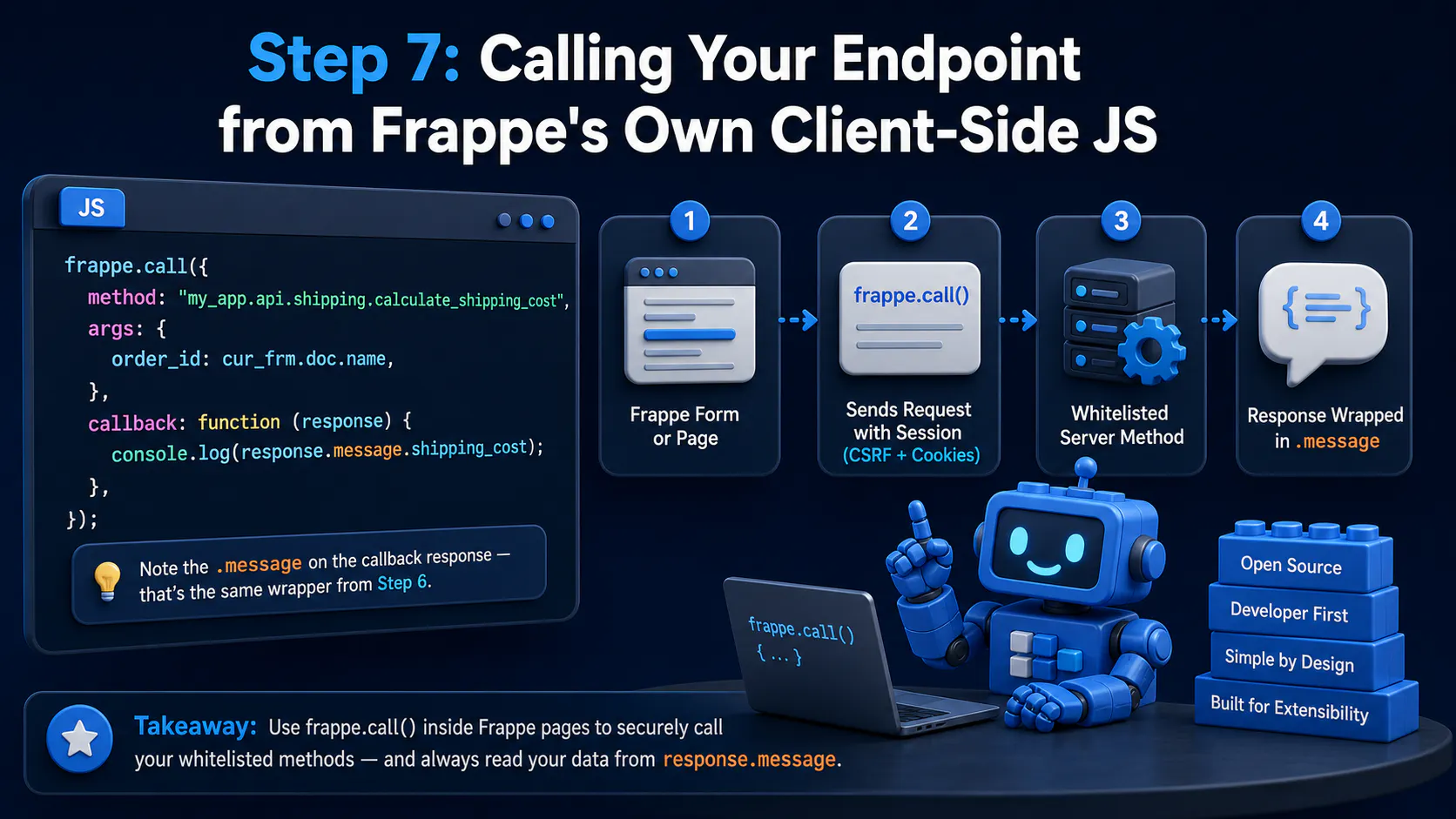
Section visual: Calling Your Endpoint from Frappe's Own Client-Side JS.
Inside a Frappe form view or custom page, frappe.call() is the standard way to hit a whitelisted method — it automatically attaches the current session's CSRF token and cookies:
frappe.call({
  method: "my_app.api.shipping.calculate_shipping_cost",
  args: {
    order_id: cur_frm.doc.name,
  },
  callback: function (response) {
    console.log(response.message.shipping_cost);
  },
});
Note the .message on the callback response — that's the same wrapper from Step 6, and it's the most common source 🐛 of "why is my data undefined" bugs when people first switch from fetch to frappe.call().
Section visual: Calling Your Endpoint from an External Client.
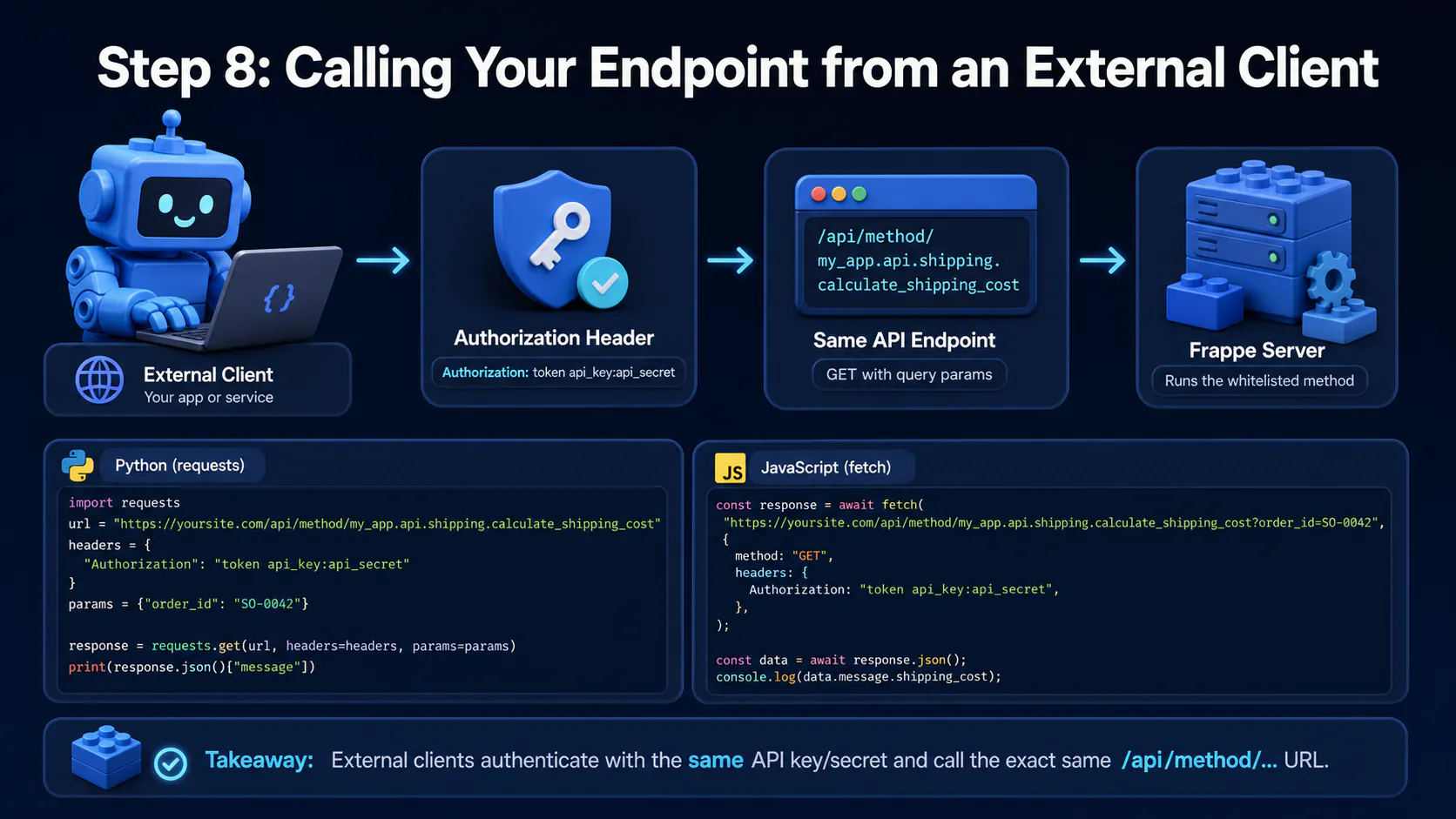
Outside of Frappe's own client-side JS, you authenticate with the same API key/secret pair used for the resource API, sent as an Authorization header. Here's a Python example with requests:
import requests

url = "https://yoursite.com/api/method/my_app.api.shipping.calculate_shipping_cost"
headers = {
    "Authorization": "token api_key:api_secret"
}
params = {"order_id": "SO-0042"}

response = requests.get(url, headers=headers, params=params)
print(response.json()["message"])
And the equivalent from JavaScript with fetch:
const response = await fetch(
  "https://yoursite.com/api/method/my_app.api.shipping.calculate_shipping_cost?order_id=SO-0042",
  {
    method: "GET",
    headers: {
      Authorization: "token api_key:api_secret",
    },
  },
);

const data = await response.json();
console.log(data.message.shipping_cost);
Both external calls hit the exact same /api/method/... URL — a whitelisted function doesn't distinguish between "called from inside Frappe's UI" and "called from a curl command," which loops back to why the permission checks 🔐 from Step 2 matter so much.
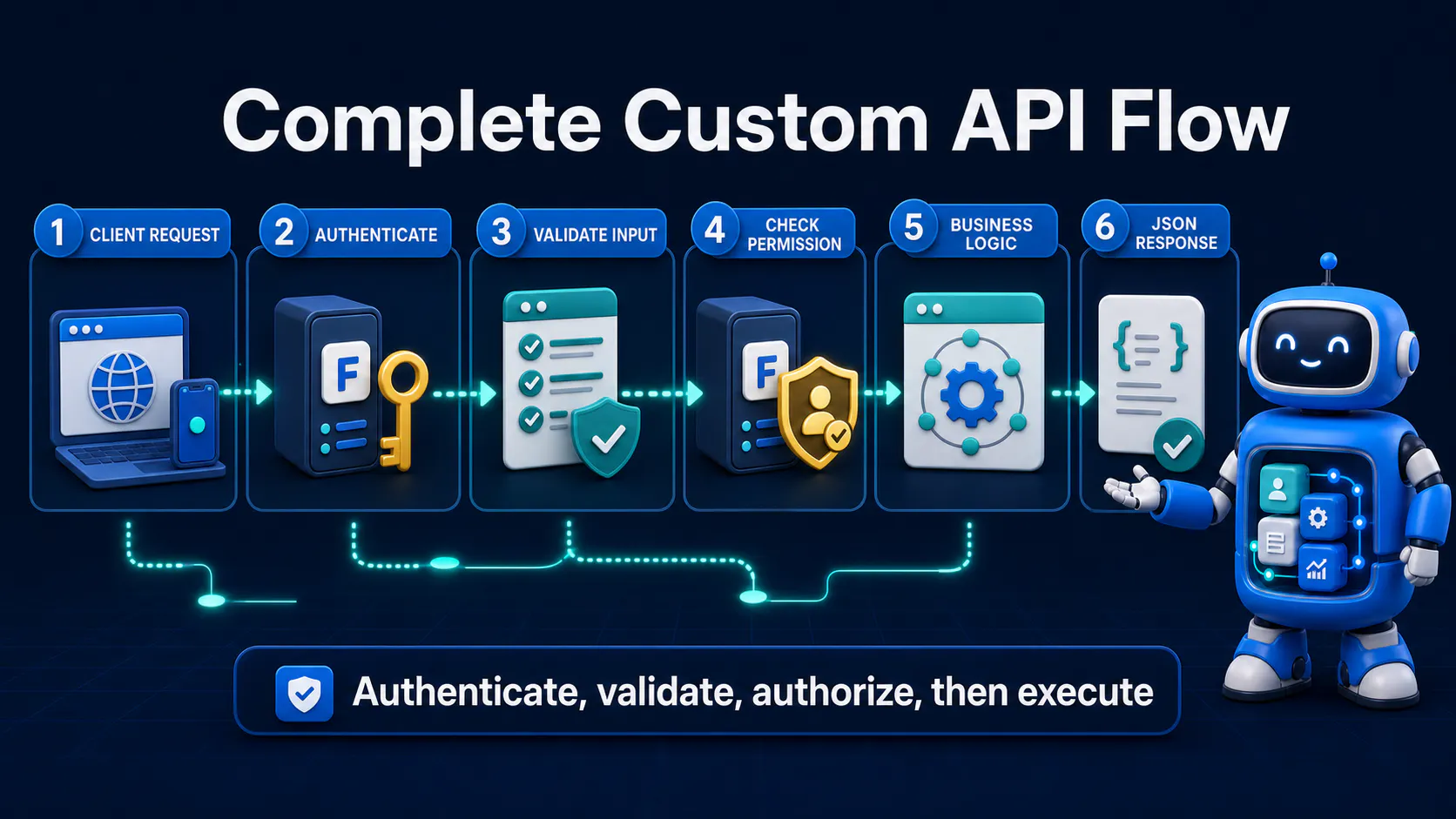
Here's the kind of multi-DocType action that the resource API genuinely can't express in one call, tied together with everything above:
# my_app/api/v1/invoices.py
import frappe

@frappe.whitelist(methods=["POST"])
def approve_invoice_and_notify():
    invoice_name = frappe.form_dict.get("invoice_name")
    if not invoice_name:
        frappe.throw("invoice_name is required")

    if not frappe.db.exists("Sales Invoice", invoice_name):
        frappe.throw(f"Invoice {invoice_name} not found", frappe.DoesNotExistError)

    invoice = frappe.get_doc("Sales Invoice", invoice_name)

    if not frappe.has_permission("Sales Invoice", "write", invoice):
        frappe.throw("Not permitted to approve this invoice", frappe.PermissionError)

    if invoice.status == "Approved":
        frappe.throw("Invoice is already approved")

    invoice.status = "Approved"
    invoice.save()

    frappe.get_doc({
        "doctype": "Notification Log",
        "subject": f"Invoice {invoice.name} approved",
        "for_user": invoice.owner,
        "type": "Alert"
    }).insert(ignore_permissions=True)

    frappe.sendmail(
        recipients=[invoice.contact_email],
        subject=f"Your invoice {invoice.name} has been approved",
        message="Thanks for your business — your invoice is approved and on file."
    )

    frappe.local.response.http_status_code = 200
    return {"invoice_name": invoice.name, "status": invoice.status}
One call updates the invoice, logs a notification, and sends an email ✉️ — all in one server-side transaction, which is exactly the case where a plain resource API PUT request falls short.
Section visual: Common Gotchas & Troubleshooting.
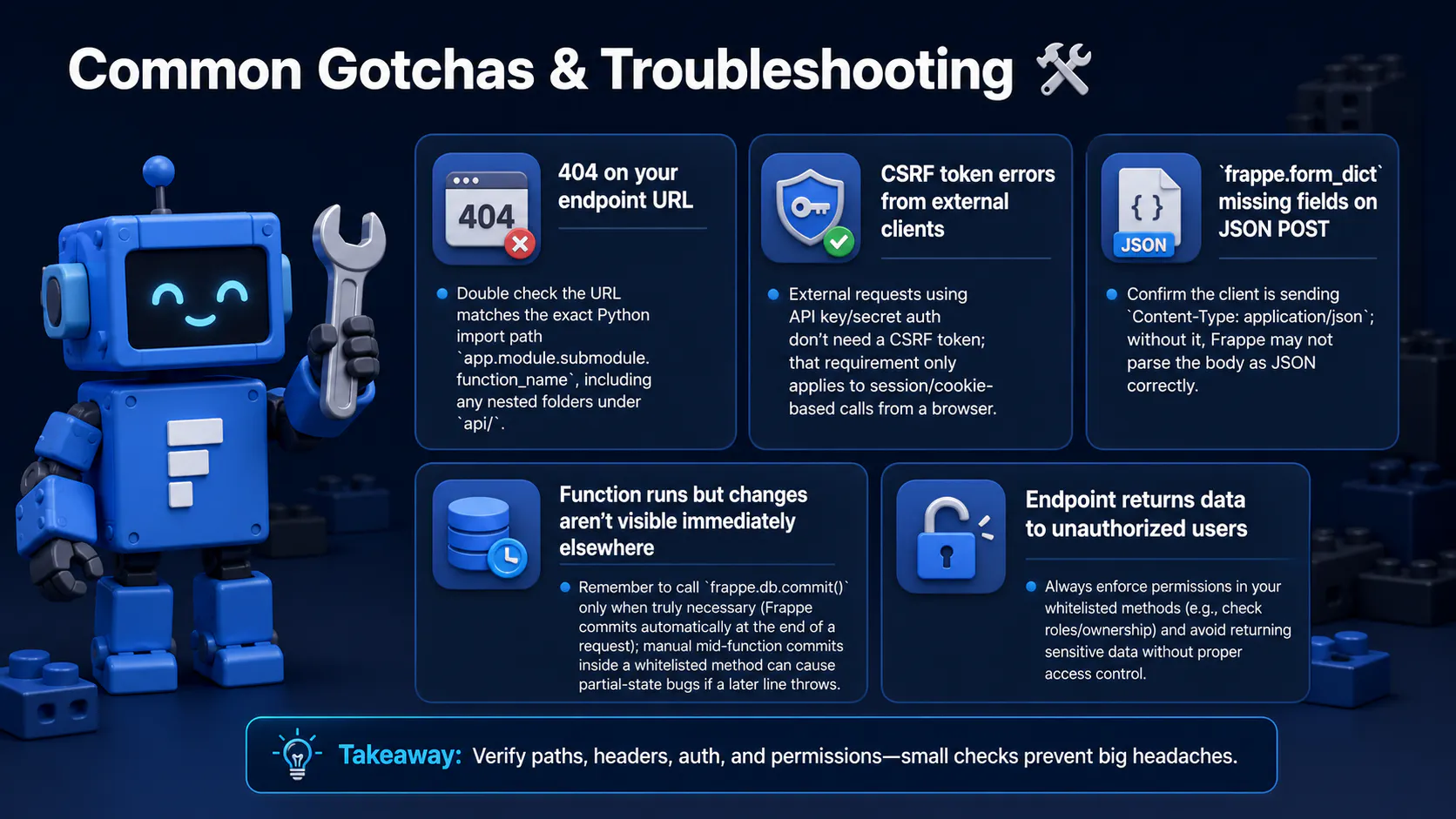
app.module.submodule.function_name), including any nested folders under api/.frappe.form_dict missing fields on JSON POST — confirm the client is sending Content-Type: application/json; without it, Frappe may not parse the body as JSON correctly.frappe.db.commit() only when truly necessary (Frappe commits automatically at the end of a request); manual mid-function commits inside a whitelisted method can cause partial-state bugs if a later line throws.frappe.has_permission() checks for anything touching real records.allow_guest endpoint getting hammered by bots — since there's no session to rate-limit by user, consider pairing it with Frappe's rate-limiting decorators or a reverse-proxy-level rate limit.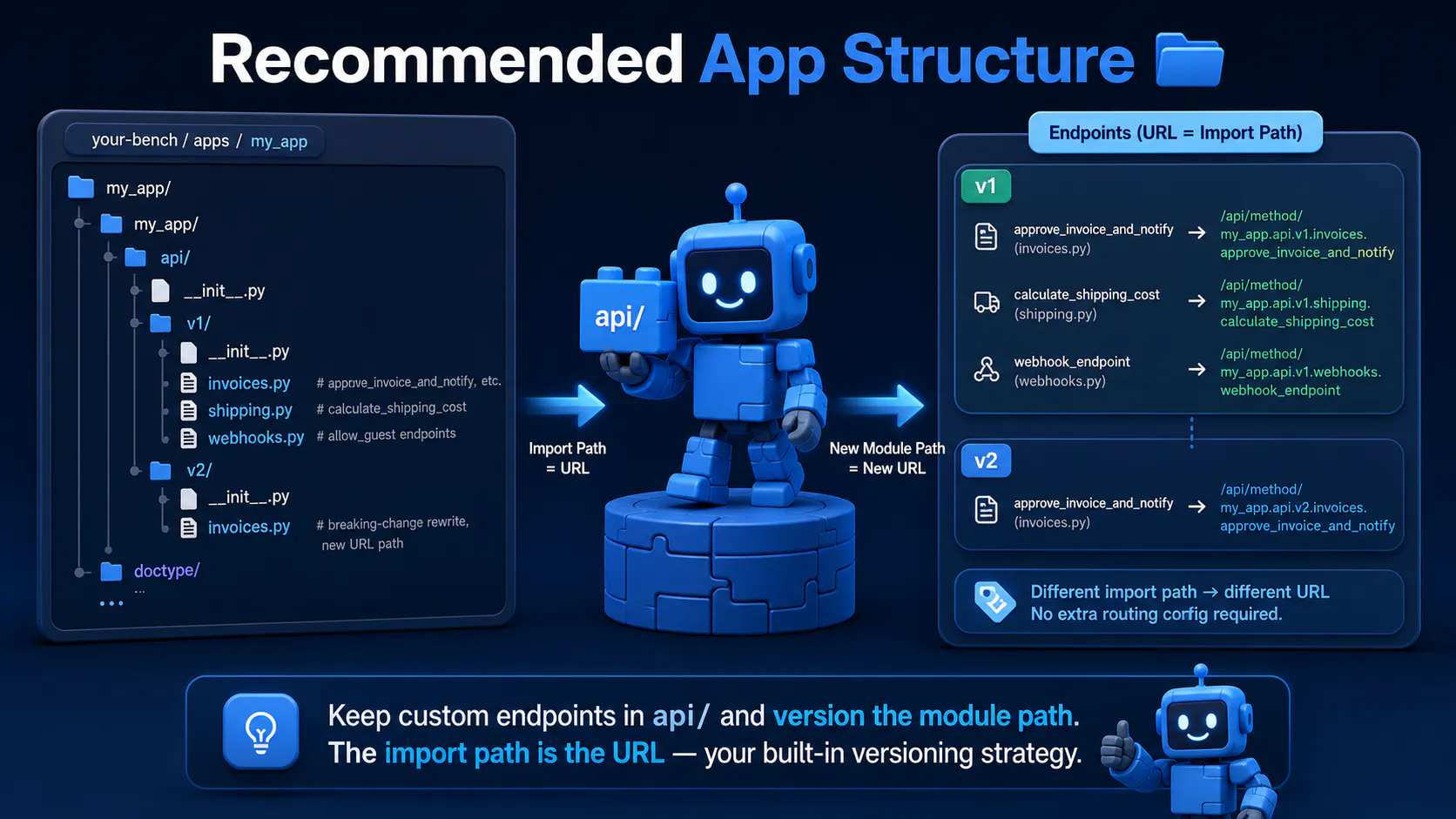
Section visual: Recommended App Structure.
Keep custom endpoints out of your DocType controller files 🧹 — group them under a dedicated api/ package, and version the module path yourself since Frappe won't do it for you:
my_app/
├── my_app/
│   ├── api/
│   │   ├── __init__.py
│   │   ├── v1/
│   │   │   ├── __init__.py
│   │   │   ├── invoices.py       # approve_invoice_and_notify, etc.
│   │   │   ├── shipping.py       # calculate_shipping_cost
│   │   │   └── webhooks.py       # allow_guest endpoints
│   │   └── v2/
│   │       ├── __init__.py
│   │       └── invoices.py       # breaking-change rewrite, new URL path
│   ├── doctype/
│   └── ...
A function moved from api.v1.invoices.approve_invoice_and_notify to api.v2.invoices.approve_invoice_and_notify gets an entirely new URL automatically, because the URL is the import path — that's your versioning strategy 🏷️, no extra routing config required.
Section visual: Final Thoughts.
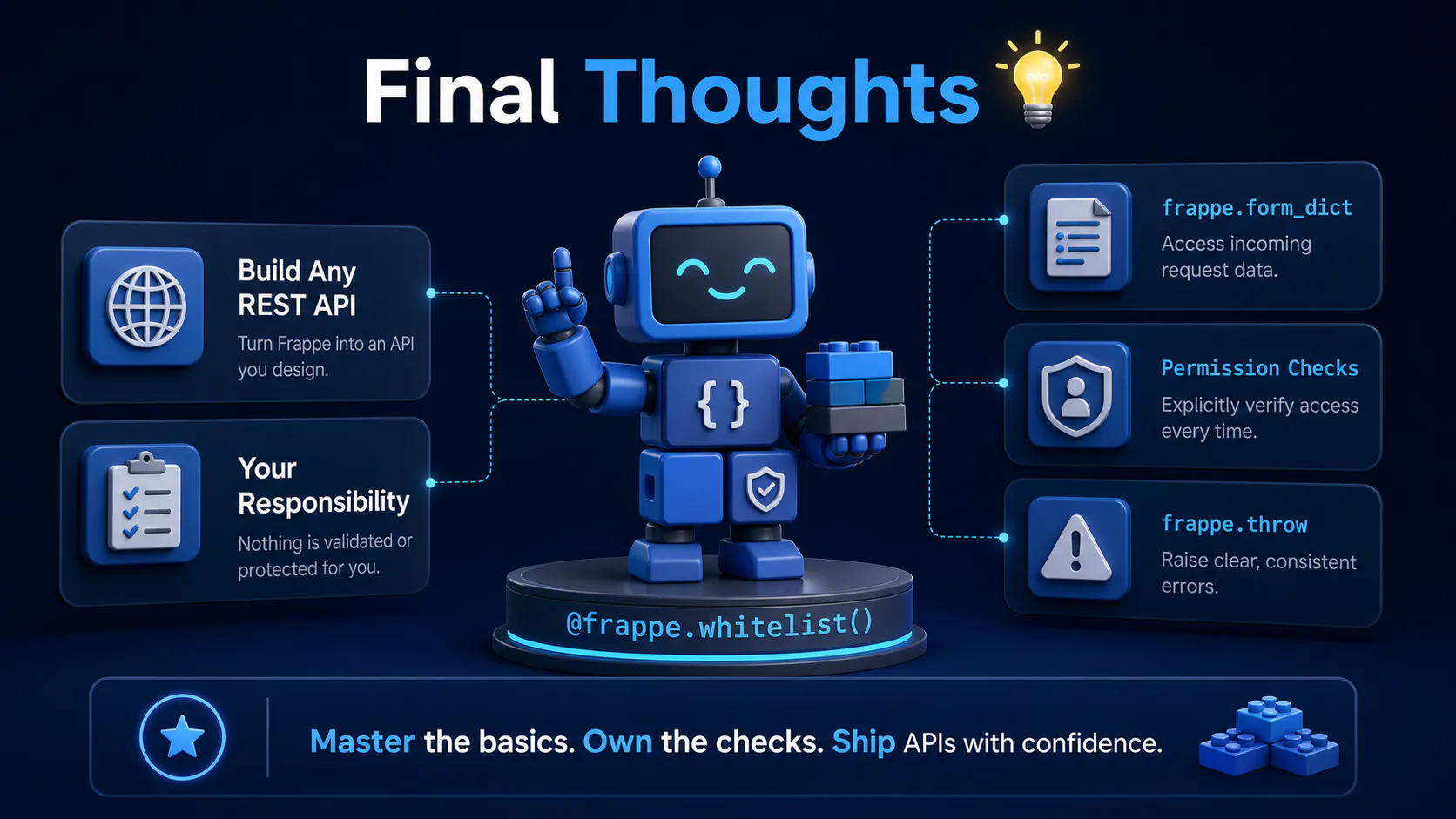
@frappe.whitelist() is what turns Frappe from "a framework with a generic REST API" into "a framework you can build any REST API on top of." 🏗️ The tradeoff for that power is that nothing is validated or protected for you automatically — every input check, permission check, and error shape is your responsibility. Get comfortable with frappe.form_dict, frappe.throw, and explicit permission checks, and custom endpoints stop feeling risky and start feeling like just another Python function. ✨

A practical Frappe tutorial for fixing wrong workspace redirects using role-to-route mapping, capture-phase click handling, and a reusable Desk JavaScript file.
ired of bench update messing up your custom app? This guide shows you how to update only Frappe or any single app, fix common blockers like 503 errors and permission issues, and keep your bench stable.

Explore Vit, the revolutionary tool that uses AI semantic merges to resolve video editing conflicts in DaVinci Resolve. Perfect for editors, colorists, and sound designers.