Frappe Doctype Lifecycle Explained From Form Load to Submission

A CRUD (Create, Read, Update, Delete) operation in Frappe follows a structured lifecycle that ensures smooth data handling from form rendering to submission. Below is the step-by-step execution flow:
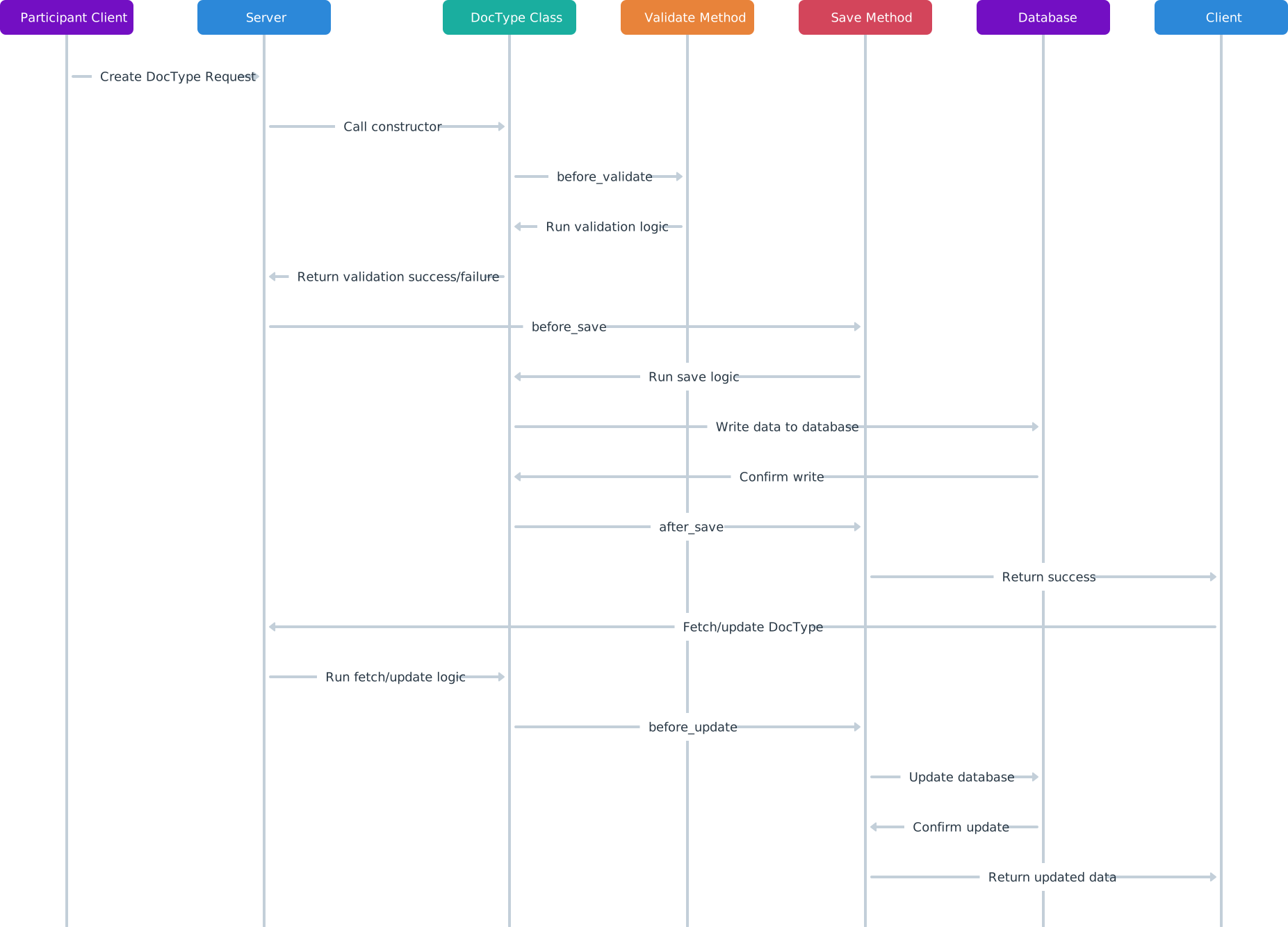
When a user accesses a form in Frappe, the system follows these steps:
At this stage, the user interacts with the form:
When the user clicks the Save button:
validate event in JavaScript).before_savebefore_insertvalidateon_updateThese Python methods ensure data integrity before committing changes to the database.
For forms that require submission (e.g., Sales Invoice, Purchase Order):
on_submit event.on_submit (executed in Python).This marks the document as submitted and final, preventing further direct modifications.
After the form is saved or submitted:
The Frappe DocType lifecycle ensures structured data processing, enforcing client-side and server-side validations at the right stages. This systematic approach guarantees smooth data presentation, validation, and business logic execution.

Learn how to add Stripe and Razorpay subscription billing to a custom Frappe app — whitelisted APIs, webhook signature verification, and scheduler-based renewals.

Stop fighting the built-in resource API for complex business logic. Here's how to expose your own Python functions as clean, secure REST endpoints in Frappe

A practical Frappe tutorial for fixing wrong workspace redirects using role-to-route mapping, capture-phase click handling, and a reusable Desk JavaScript file.