A Step-by-Step Guide to Frappe REST API Permissions and Data Filtering

The default API URL to access data is structured as:
[appURL]:[PortNumber]/api/v2/document/[docTypeName]
Let’s construct a URL based on this rule:
http://trysite:8000/api/v2/document/Driver
By default, this will return a 403 Forbidden error, indicating a permissions issue.
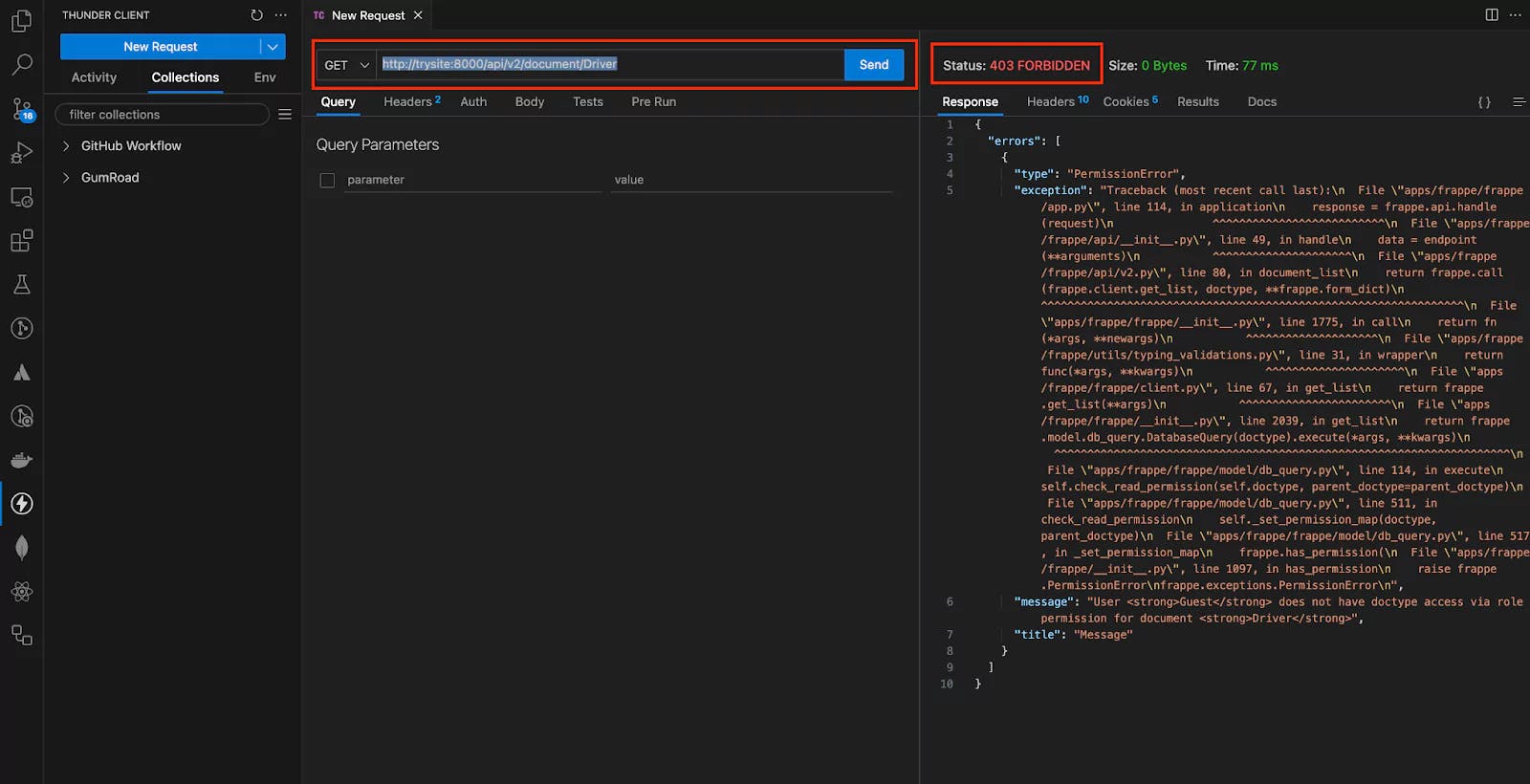
To gain access, follow these steps:
User > [userName].API Access section.API Secret. Note that the API Secret will only be generated once, so keep it safe.
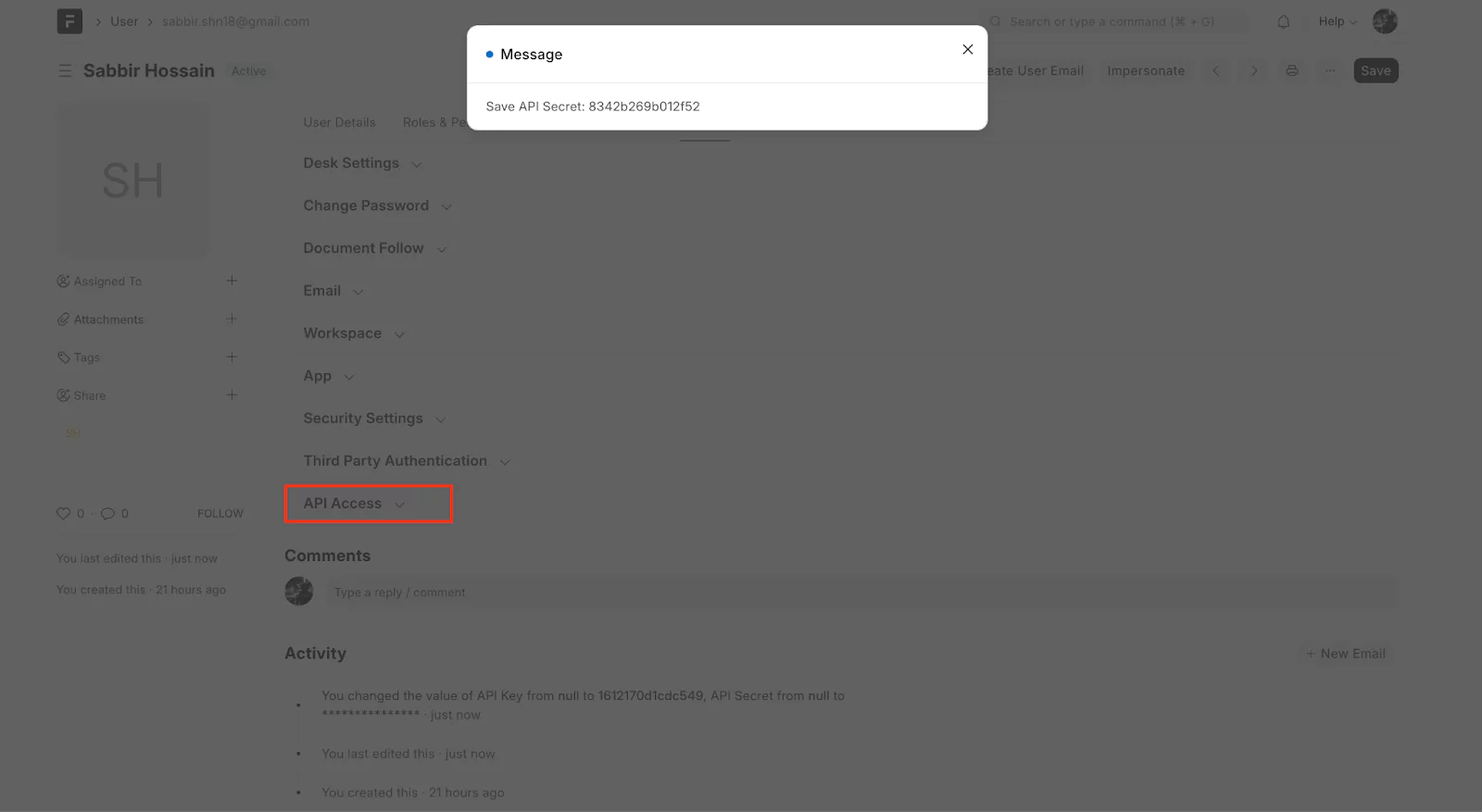
You will need both the API Key and API Secret to make a successful request.
Authorization: token [APIkey]:[APIsecret]
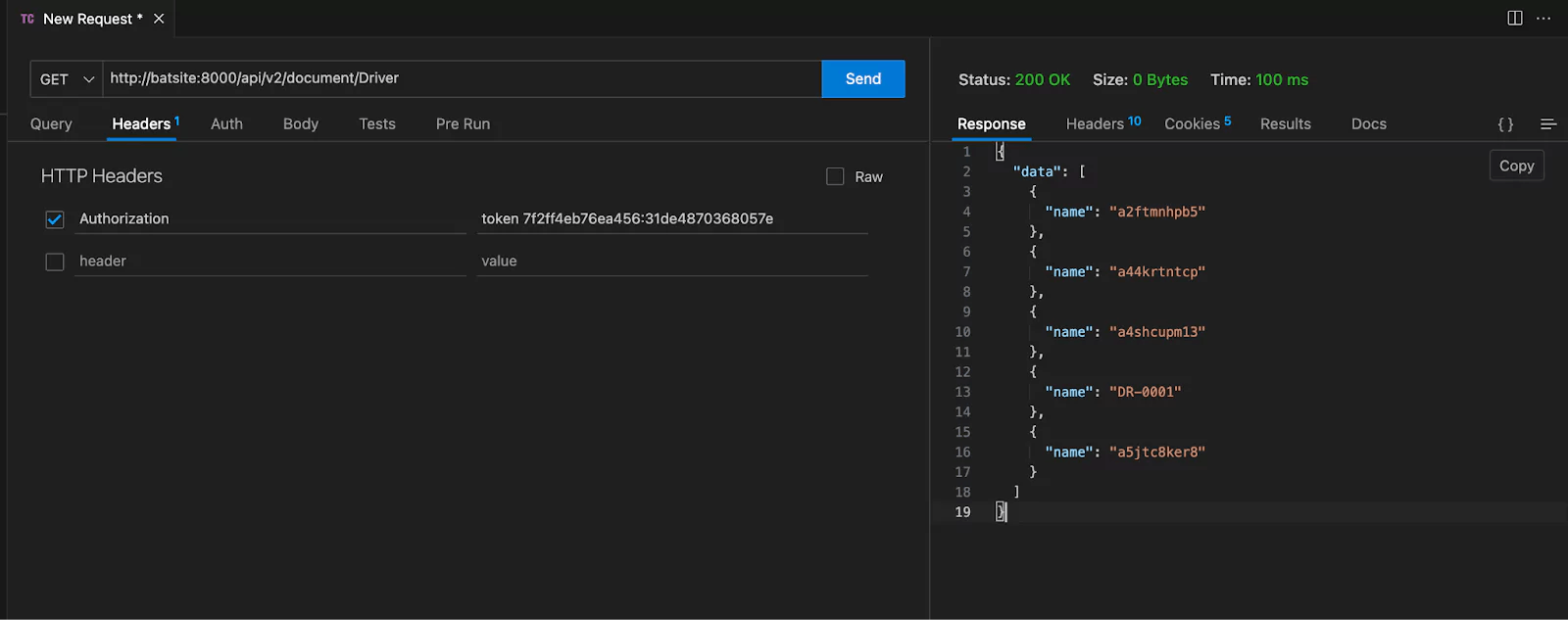
To filter specific fields from the response, the structure of the URL is as follows:
APIEndpoint?fields=["field_name"]
Example:
http://batsite:8000/api/v2/document/Driver?fields=["first_name","last_name"]
To retrieve all fields from a document, use the wildcard * in the fields parameter:
http://batsite:8000/api/v2/document/Driver?fields=["*"]
To fetch a specific document by its unique ID, construct the endpoint as follows:
APIEndpoint/document/[docTypeName]/[SingleDocID]
Example:
http://batsite:8000/api/v2/document/Driver/DR-0001
To create a new document, construct the endpoint using the docType and pass the required data in JSON format.
http://batsite:8000/api/v2/document/Driver
Pass the body parameters as JSON:
{
  "first_name": "Rafique",
  "last_name": "Ullah",
  "license_number": "TDR3445"
}

A step-by-step guide to calling Frappe's REST API from React/Next.js, handling session and API-key auth correctly, and wiring up live updates with Socket.IO

Learn how to add Stripe and Razorpay subscription billing to a custom Frappe app — whitelisted APIs, webhook signature verification, and scheduler-based renewals.

Stop fighting the built-in resource API for complex business logic. Here's how to expose your own Python functions as clean, secure REST endpoints in Frappe