Ollama vs LM Studio vs llama.cpp vs vLLM
ollama-tools-comparison-thumbnail-v2

Best Local AI Tool for Developers: Ollama, LM Studio, llama.cpp, or vLLM?

Local AI tools can feel confusing because they overlap. This guide explains when to choose Ollama, LM Studio, llama.cpp, or vLLM depending on your goal.

โฑ๏ธ Time to Complete

Around 10-15 minutes.

๐ŸŽฏ What youโ€™ll achieve / learn

  • Understand the difference between local AI runtimes, desktop apps, engines, and production servers
  • Pick the right tool for learning, app development, performance tuning, or serving users
  • Compare Ollama, LM Studio, llama.cpp, and vLLM
  • Avoid using a beginner tool for production needs or a production tool for simple local testing

๐Ÿ”— Related posts

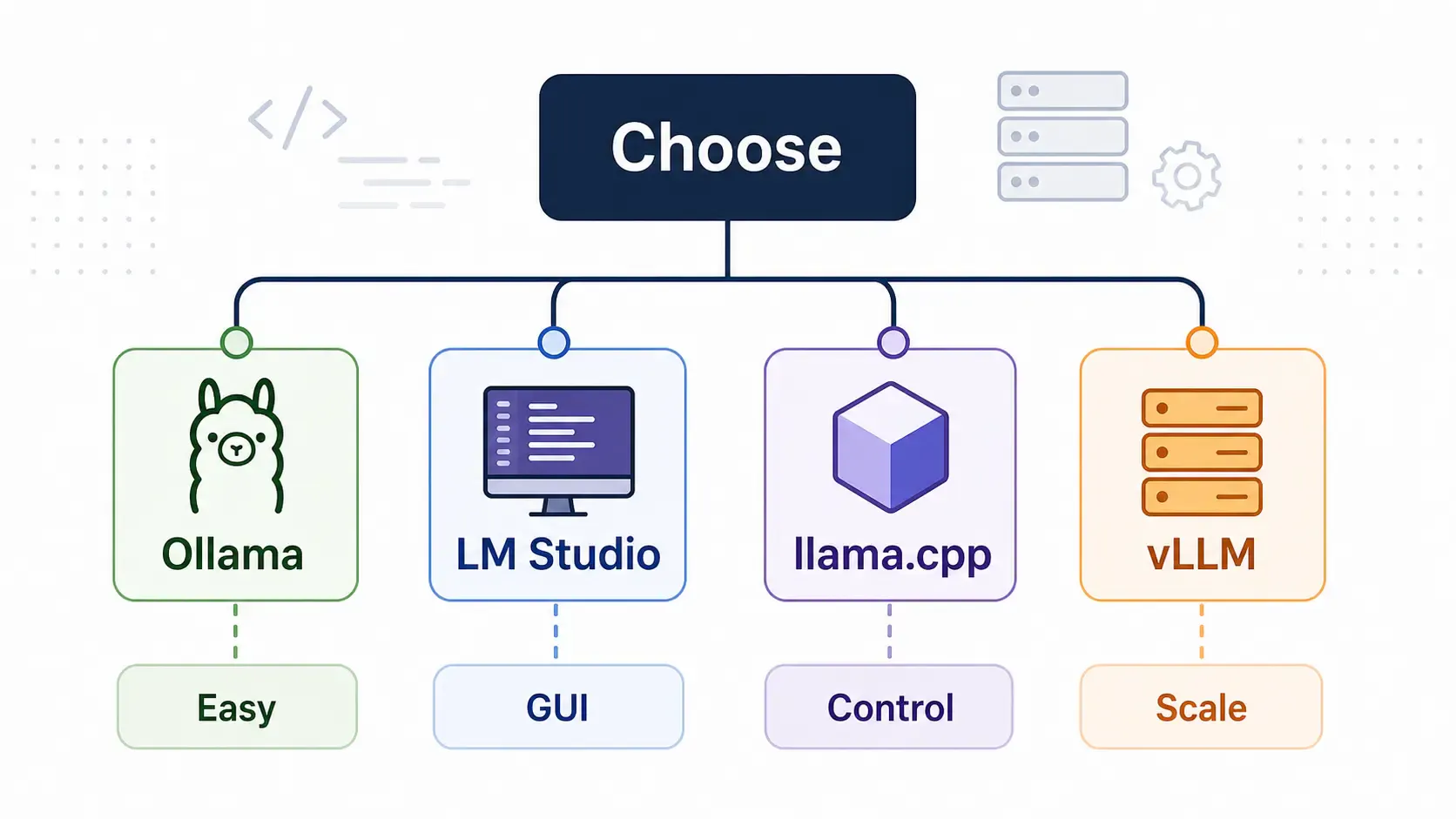
Local AI tool decision map

๐Ÿง  Quick answer

Use:

  • Ollama if you want the easiest developer runtime and local API
  • LM Studio if you want a polished desktop GUI
  • llama.cpp if you want lower-level control and broad GGUF tooling
  • vLLM if you want high-throughput production-style inference

No single tool wins for everyone. The right choice depends on your use case.
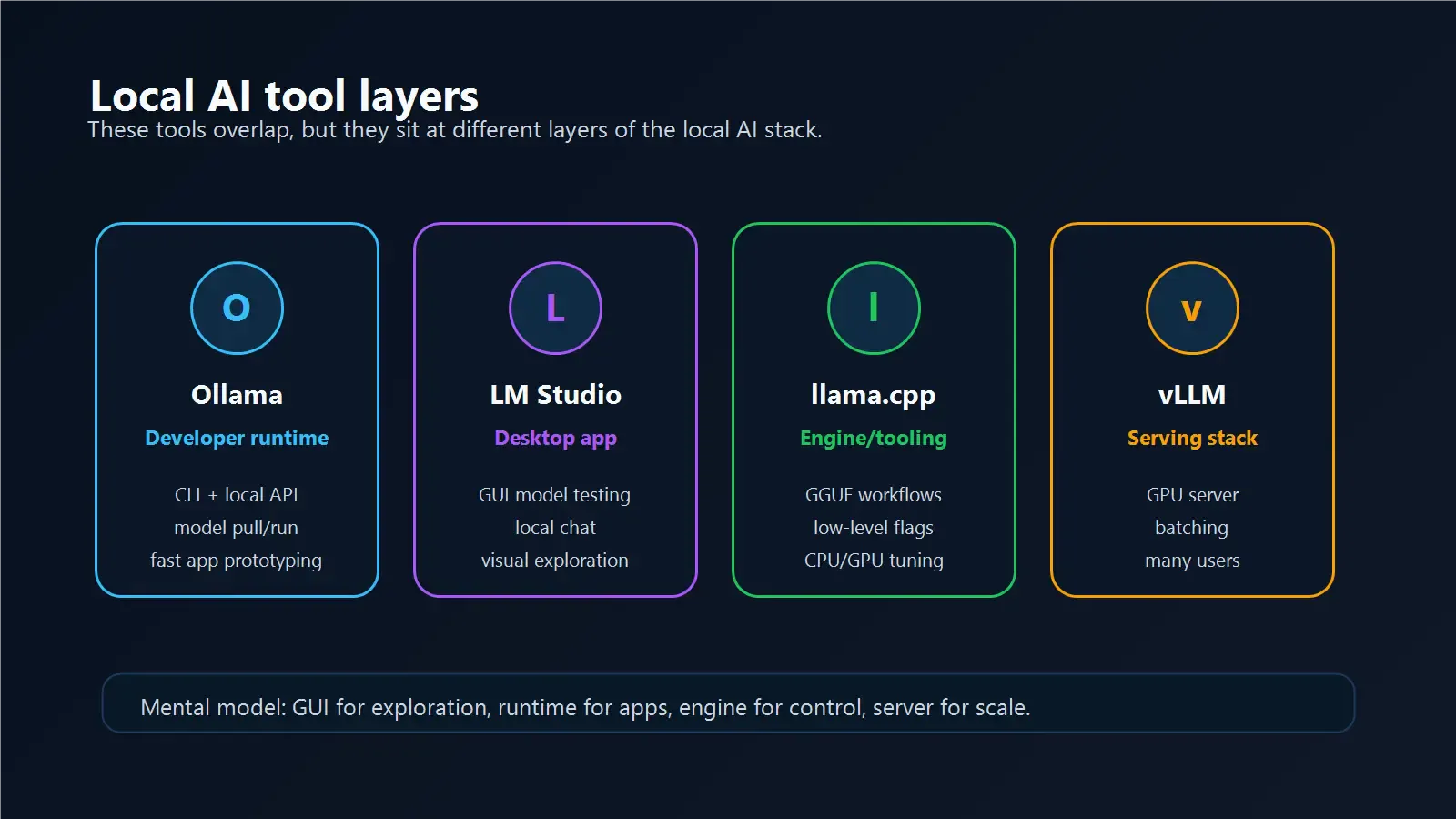
Local AI tool layers

๐Ÿฆ™ Ollama

Ollama is the easiest local model runtime for many developers.

Best for:

  • Running models quickly
  • Local API development
  • Terminal workflows
  • Simple app backends
  • Learning local LLMs
  • Pairing with Open WebUI

Why developers like it:

  • Simple CLI
  • Local API on localhost:11434
  • Easy model pulling
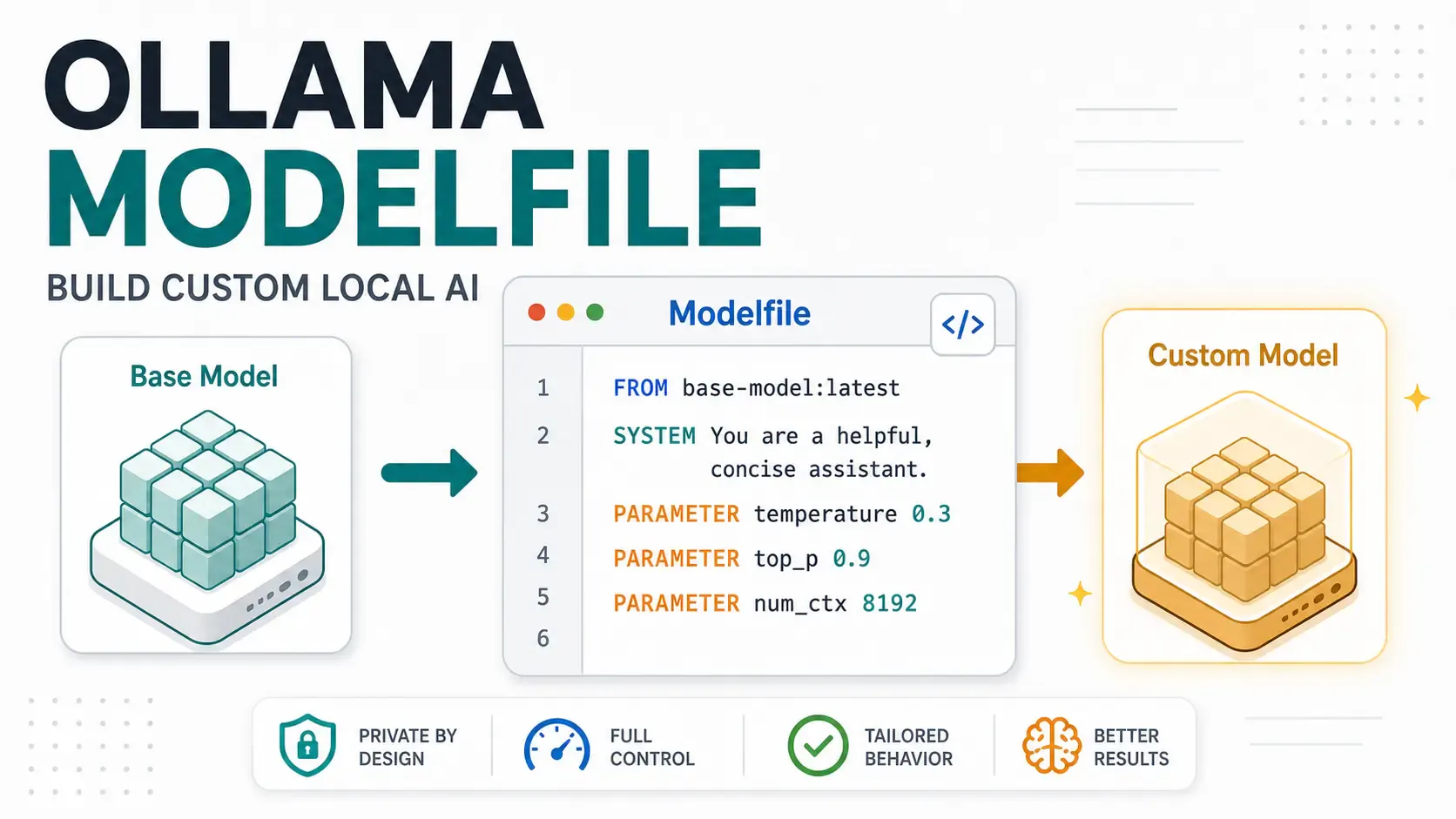
  • Modelfile support
  • Works well for prototypes

Tradeoffs:

  • Not a full production inference platform
  • Needs extra security if exposed
  • Less low-level tuning than llama.cpp
  • Less throughput-focused than vLLM

Choose Ollama when you want to build and test fast.

๐Ÿ–ฅ๏ธ LM Studio

LM Studio is a desktop-first local AI app.

Best for:

  • Beginners who prefer GUI
  • Downloading and testing models visually
  • Local chat experiments
  • Comparing models without writing commands
  • Non-terminal users

Why people like it:

  • Polished interface
  • Easy model discovery
  • Good local chat experience
  • Useful for demos and exploration

Tradeoffs:

  • Less scriptable than CLI-first workflows
  • Not the first choice for server-style deployment
  • GUI-first approach may not fit backend automation

Choose LM Studio when you want a friendly desktop experience.

๐Ÿ› ๏ธ llama.cpp

llama.cpp is a lower-level inference engine and tooling ecosystem.

Best for:

  • Advanced local inference control
  • GGUF model workflows
  • CPU-friendly inference experiments
  • Embedding local AI into custom systems
  • Developers who want to understand the engine layer

Why it matters:

  • Many local AI tools build on ideas and formats from the llama.cpp ecosystem
  • GGUF models are widely used
  • It gives deeper control than higher-level apps

Tradeoffs:

  • More manual setup
  • Less beginner-friendly
  • You may need to manage model files and flags yourself

Choose llama.cpp when you want control more than convenience.

๐Ÿš€ vLLM

vLLM is built for high-throughput inference serving.

Best for:

  • Production-style serving
  • Multiple users
  • GPU servers
  • OpenAI-compatible API deployments
  • Throughput and batching
  • Larger inference workloads

Why teams use it:

  • Designed for efficient serving
  • Strong fit for cloud GPU infrastructure
  • Better match for serious backend traffic than desktop tools

Tradeoffs:

  • More infrastructure complexity
  • Not the easiest beginner setup
  • Usually needs stronger GPU/server planning

Choose vLLM when local experimentation becomes real serving.
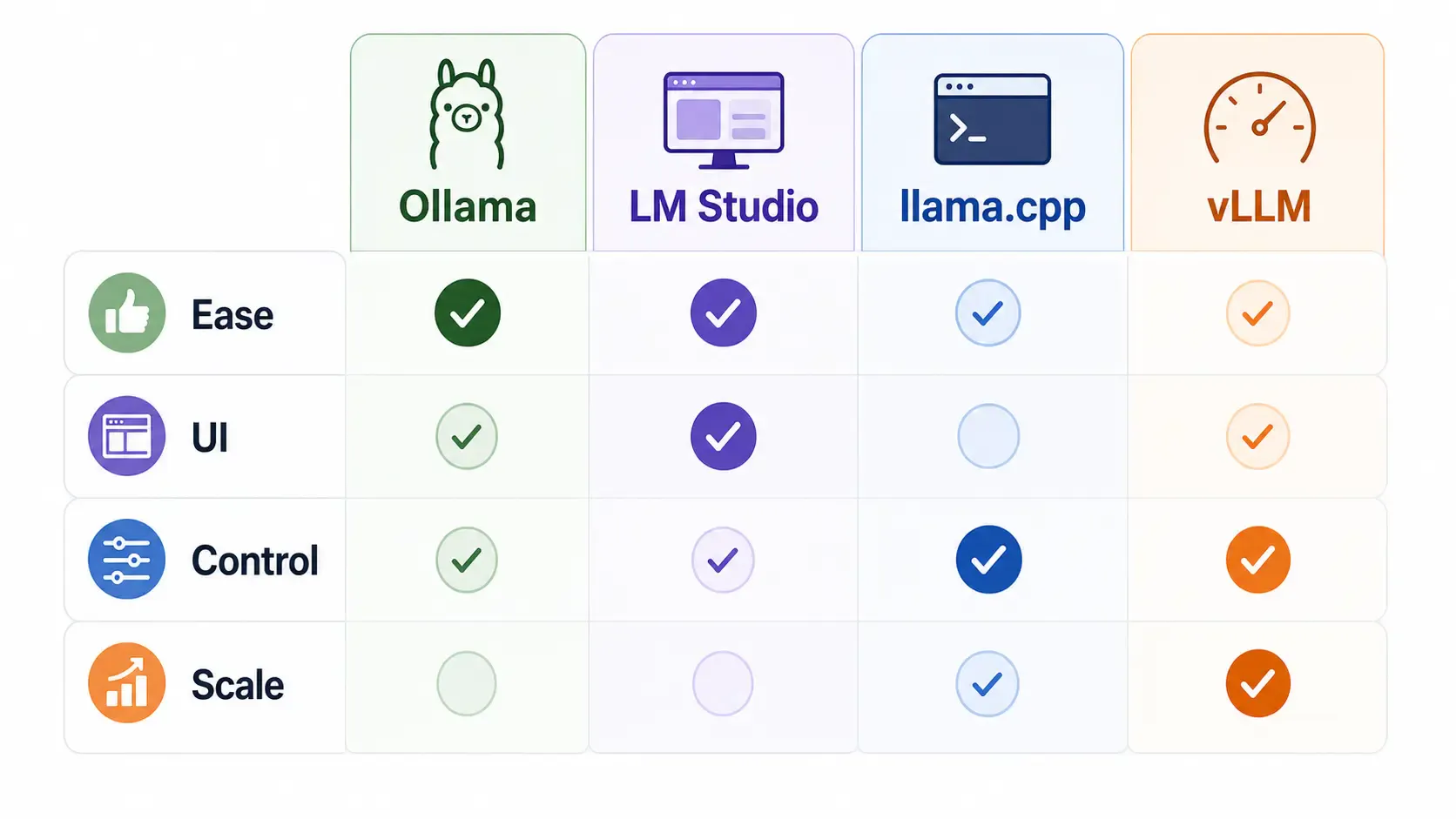
Ollama tool comparison matrix

๐Ÿ“Š Comparison table

ToolBest forBeginner friendlyProduction fitMain strength
OllamaDeveloper local runtimeHighMediumSimple CLI/API
LM StudioDesktop model testingHighLow-MediumGUI experience
llama.cppLow-level controlMediumMediumEngine-level flexibility
vLLMServer inferenceMedium-LowHighThroughput and scale

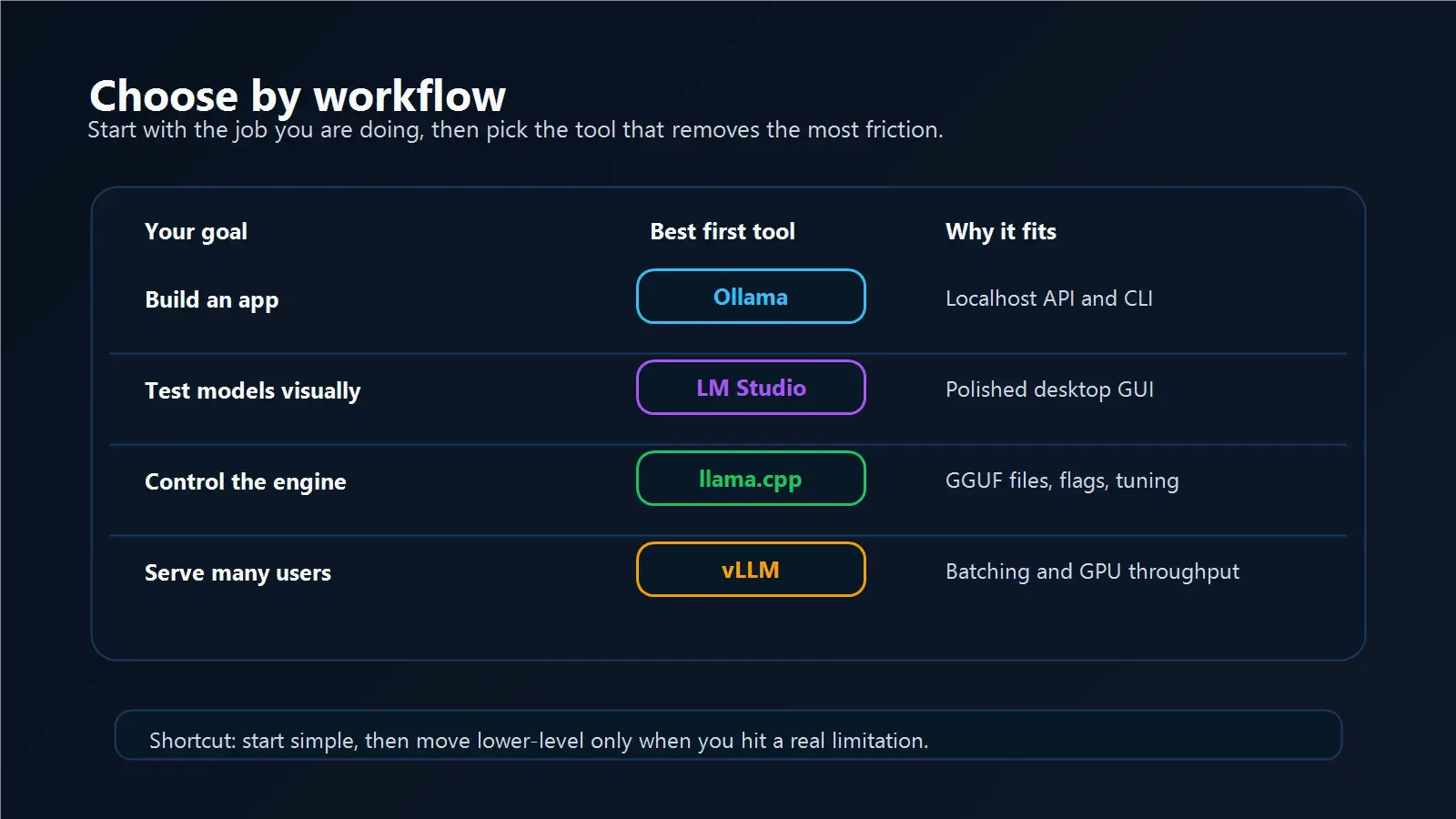
Local AI workflow chooser

๐Ÿงฉ Which one should you use?

If you are a beginner

Start with Ollama or LM Studio.

Use Ollama if you are comfortable with terminal commands and want to build apps.

Use LM Studio if you want to click around and test models visually.

If you are building an app

Start with Ollama.

It gives you a simple local API and enough structure to build prototypes quickly. Later, if you need production throughput, compare vLLM.

If you are optimizing inference

Look at llama.cpp.

It gives more control over model files, quantization workflows, and low-level behavior.

If you are serving users

Look at vLLM.

Especially if you need batching, multiple clients, GPU utilization, or OpenAI-compatible serving in a more serious environment.
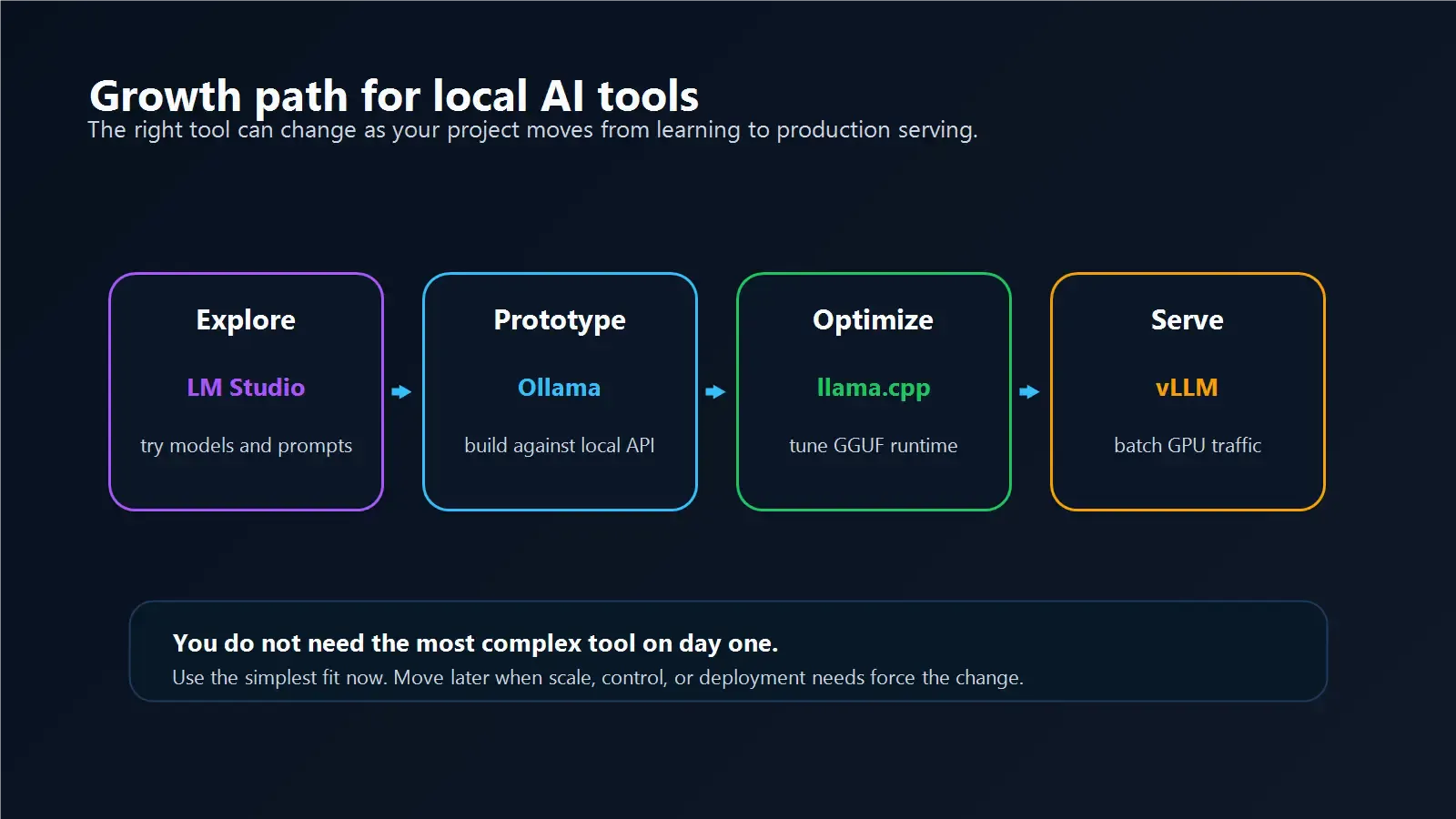
Local AI tool growth path

โœ… Final recommendation

For most developers:

  1. Start with Ollama
  2. Use LM Studio if you prefer GUI exploration
  3. Learn llama.cpp when you need lower-level control
  4. Move to vLLM when serving and throughput matter

That path keeps learning simple while leaving room to grow.

Related posts