Frappe Custom DocTypes and Type Checking Setup Explained

When creating a new DocType in Frappe, you might notice that the Custom checkbox is non-interactable (read-only).
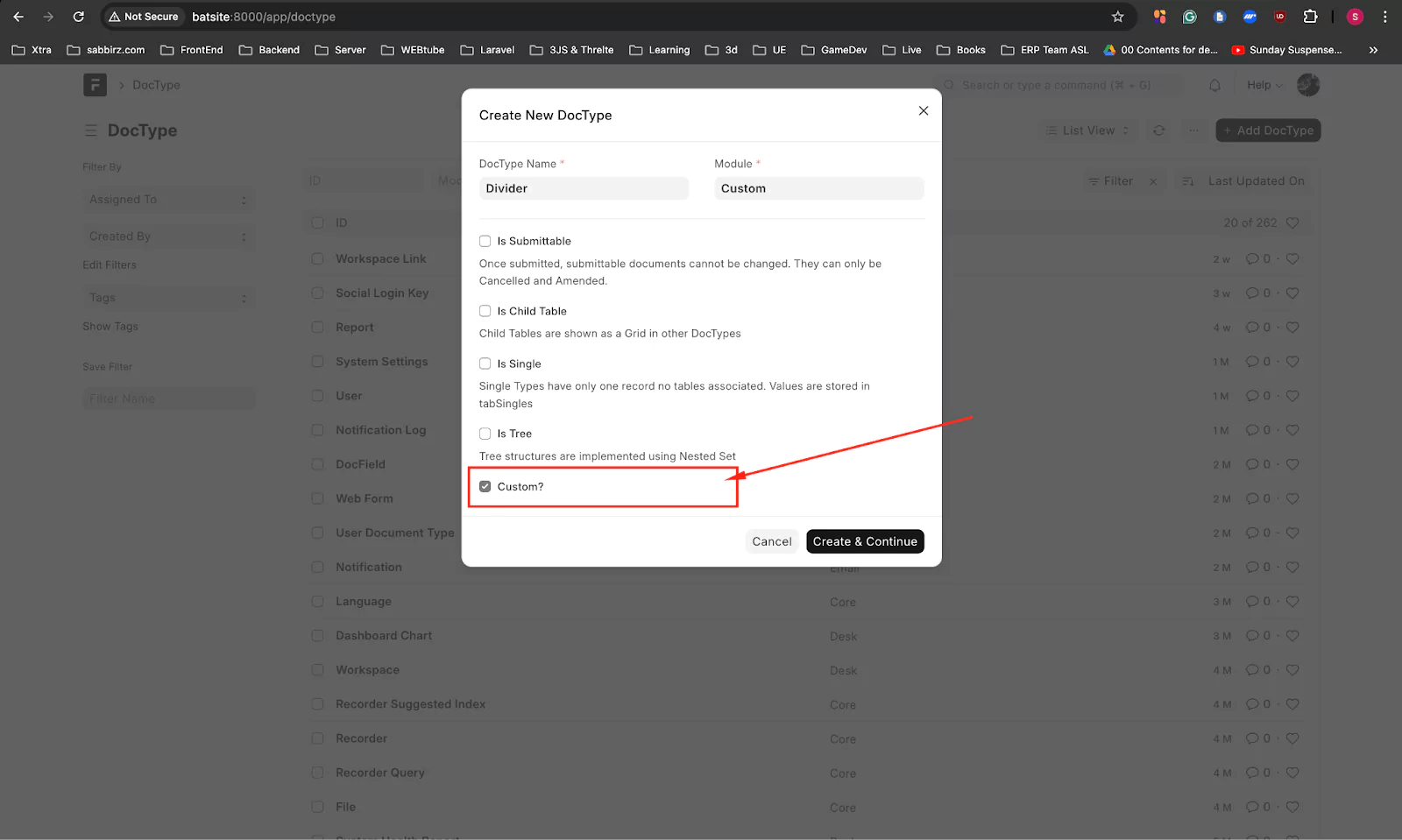
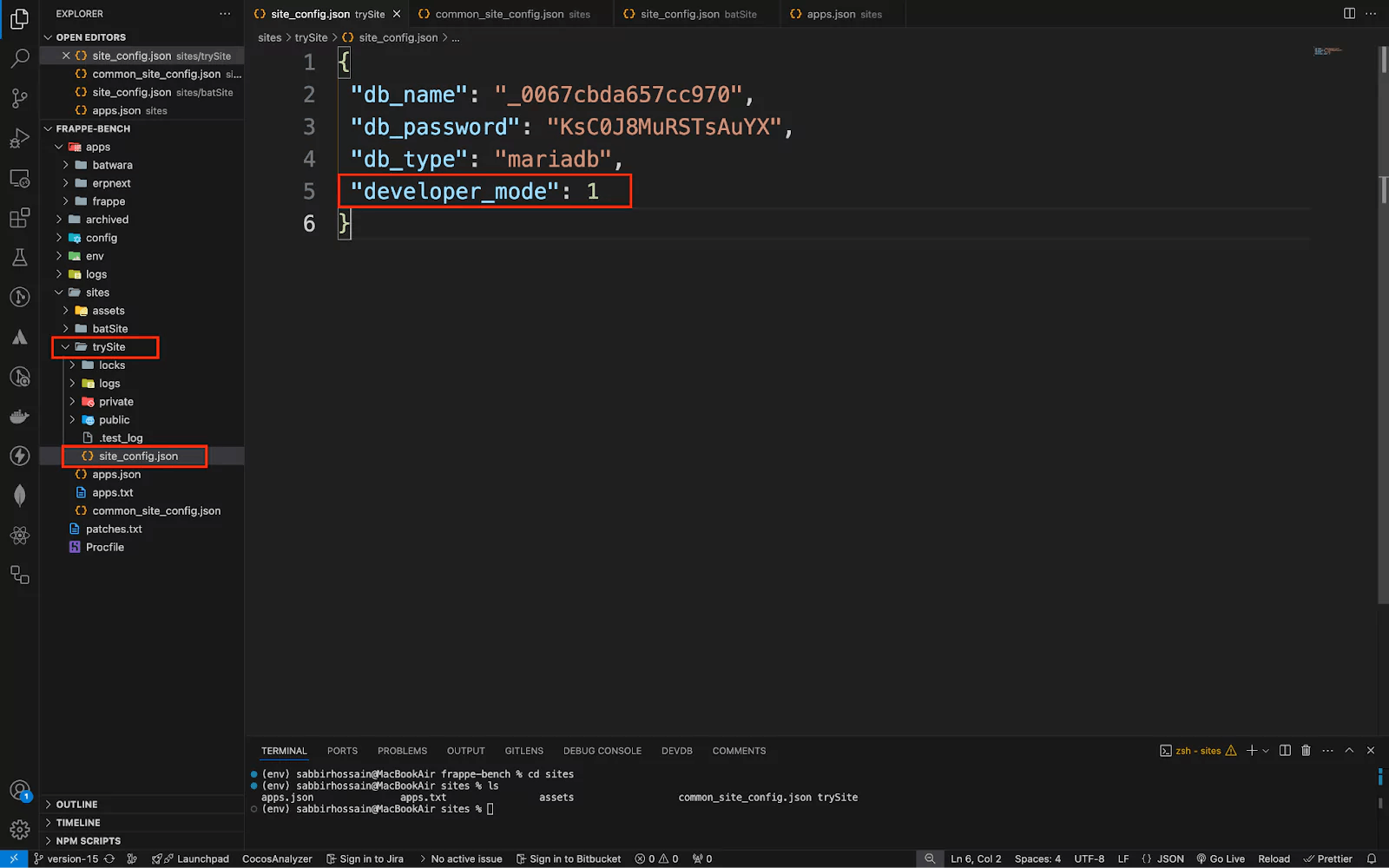
This happens if developer_mode is not active and the developer_mode parameter is set to 1 in the site_config.json file.
If the Custom setting is unchecked, the DocType will store document data in the codebase of the specified app.
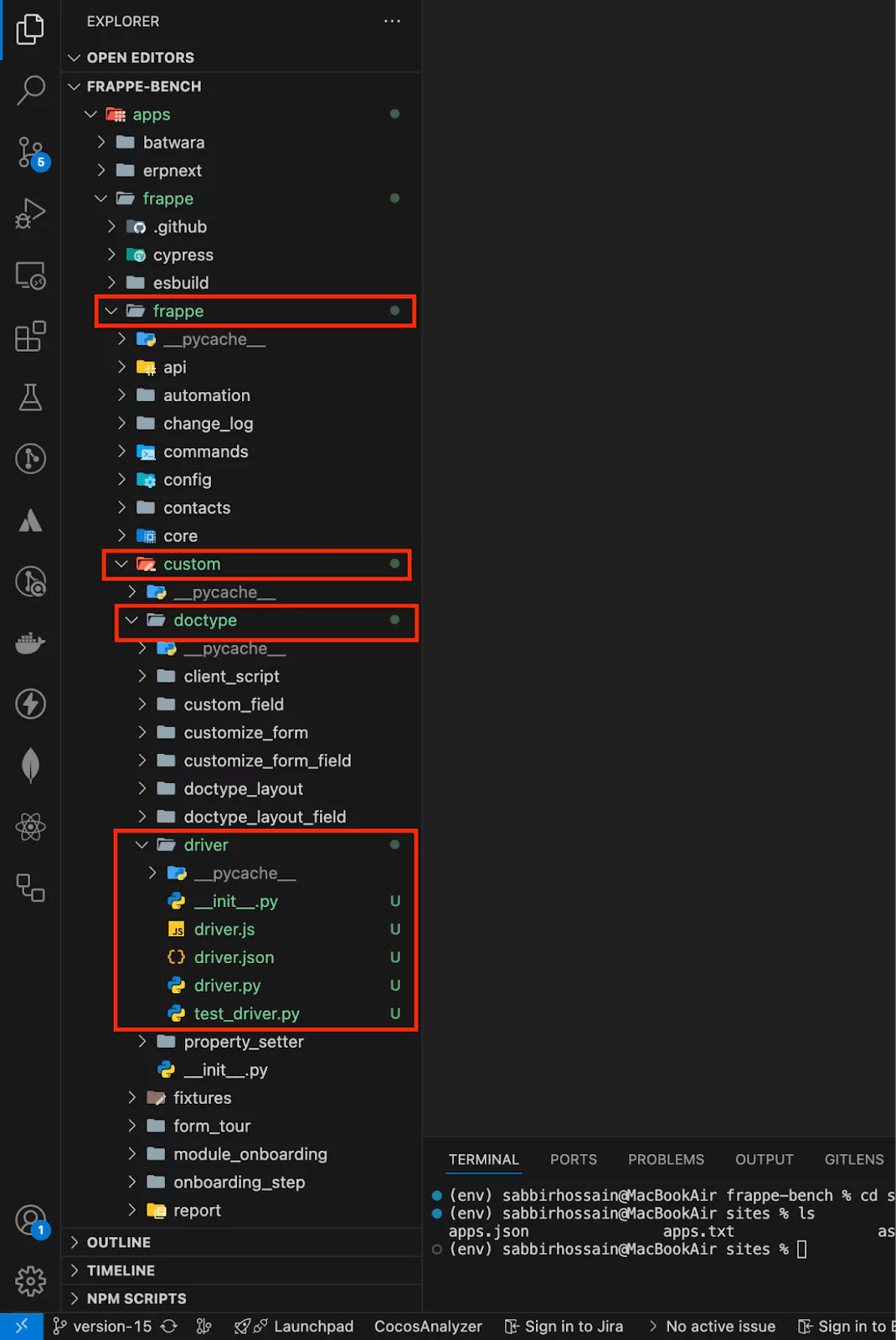
When creating a non-custom DocType, you’ll notice a simple *.py file for form manipulation. However, type-checking is not enabled by default.
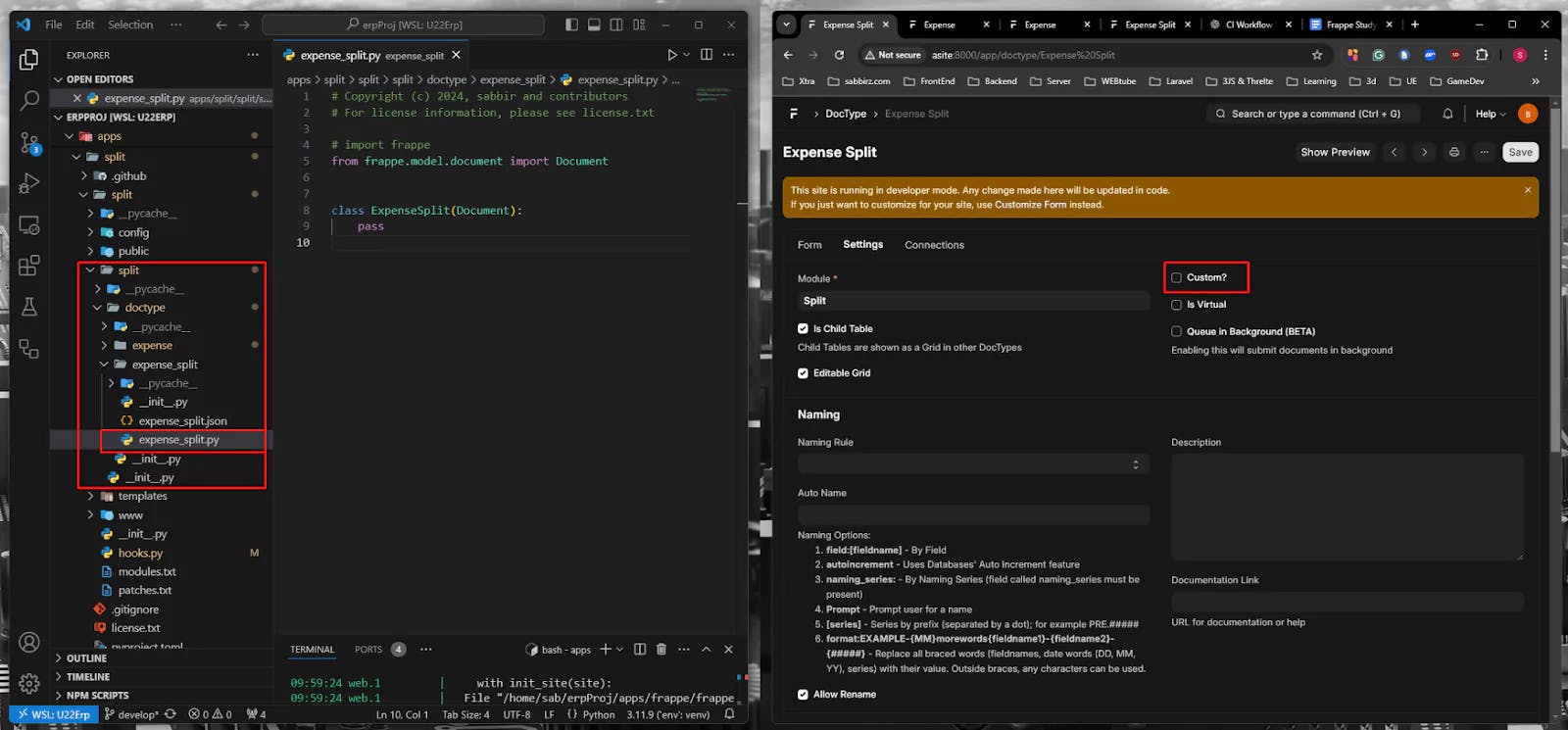
To enable type-checking by default, you need to modify the hooks.py file within your app, located at:
[yourFrappeBenchFolder]/apps/[yourAppName]/[yourAppName]/hooks.py
Add the following configuration:
# For type-checking
export_python_type_annotations = True
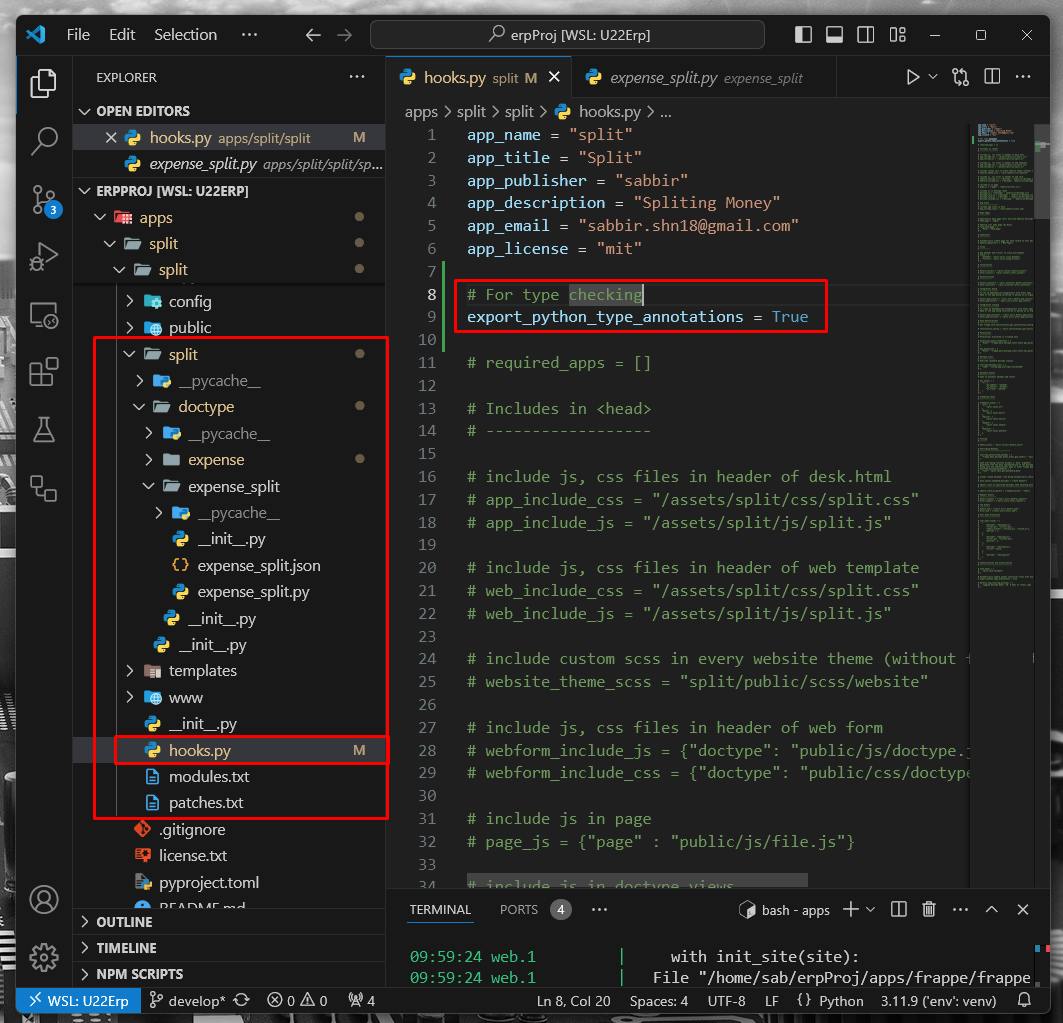
Finally, navigate to your DocType, update any field names, and save the DocType.
Learn how to create a custom `Year` field type in Frappe v15 using Python patches, Property Setters, custom metadata, and a JavaScript control, all from your own app

Step-by-step guide to installing Frappe 16 and ERPNext on Windows using WSL. Learn to set up Python 3.14, Node 24, and PostgreSQL for a next-gen dev environment.
What happens when you create a DocType in Frappe? We break down the .json, .js, and .py files generated by the framework and how to use them.