Three.js Threlte Shadow Cut-Off Issue Explanation and Solution
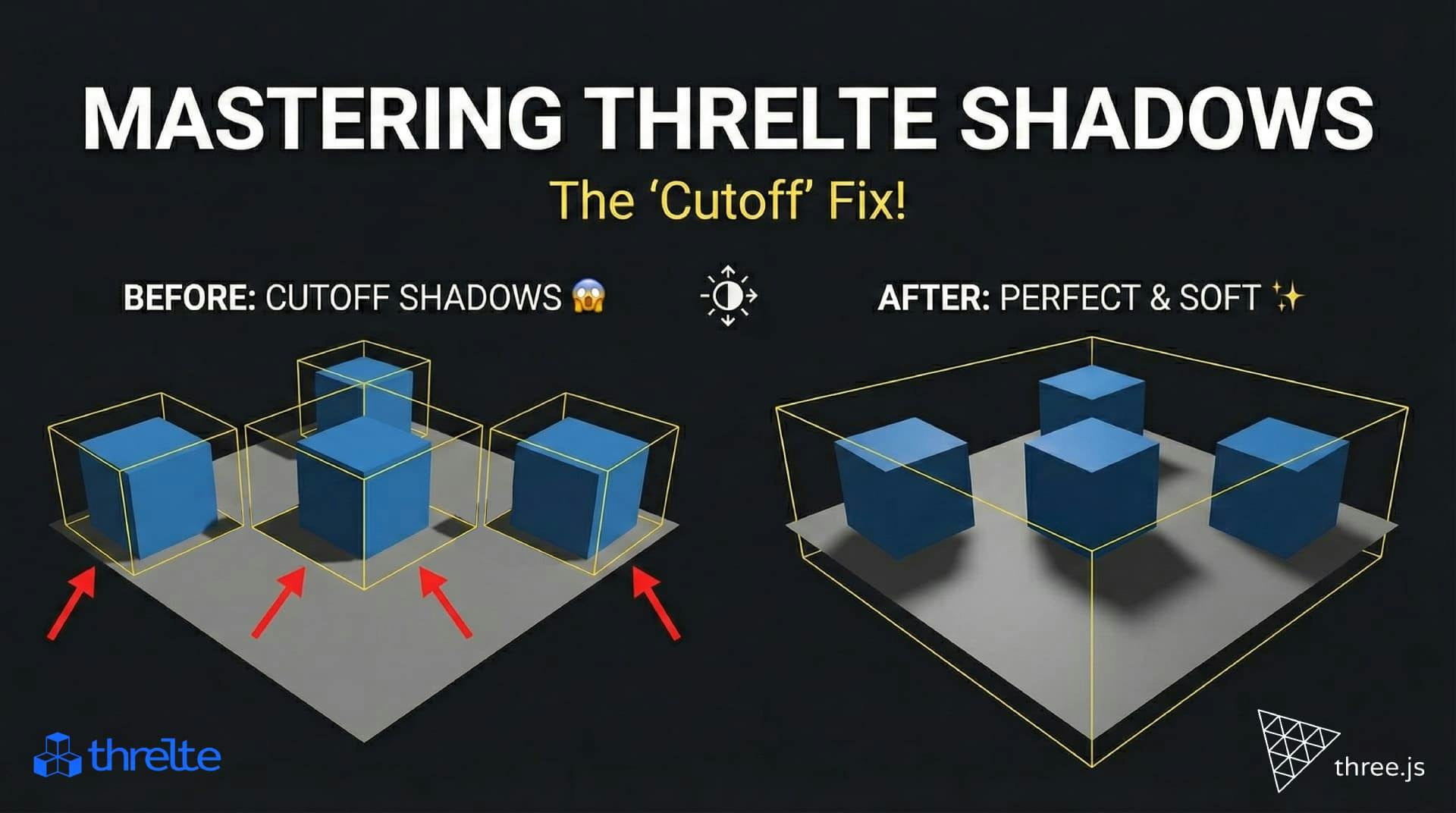
Have you ever crafted the perfect 3D scene in Threlte, added a stunning directional light, and then—bam—your shadows get sliced off or vanish completely when objects move? 😱

You are not alone, friend! This is a classic "gotcha" in the world of Three.js and creative coding. But don't worry, it’s not a bug—it’s a feature (sort of), and we’re going to fix it together.
In this deep dive, we’ll explore why this happens, how to visualize the invisible shadow box, and how to configure your scene for cinematic, glitch-free shadows. Let's make your scene shine! ✨
Here is the techy truth: Directional lights mimic the sun, casting rays from infinitely far away. ☀️ But asking your GPU to calculate shadows for an infinite universe? That's a recipe for a melted computer. 🔥
To keep things performant, 3D engines like Three.js (the powerhouse behind Threlte) use a trick. They only calculate shadows inside a specifically defined frustum (or "box").
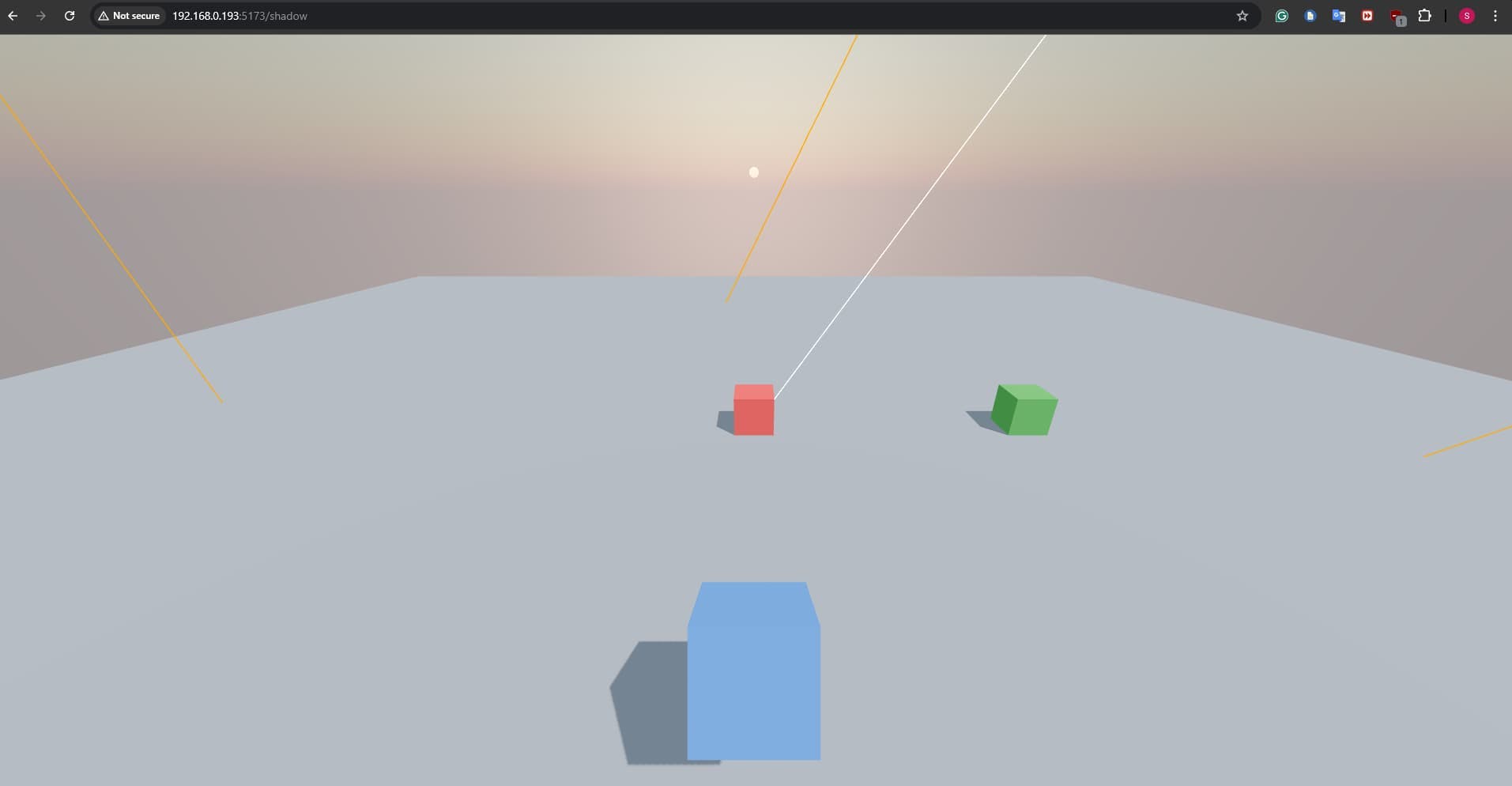
If your scene is larger than this default box, your shadows will clip, cut off, or disappear. It looks something like this:
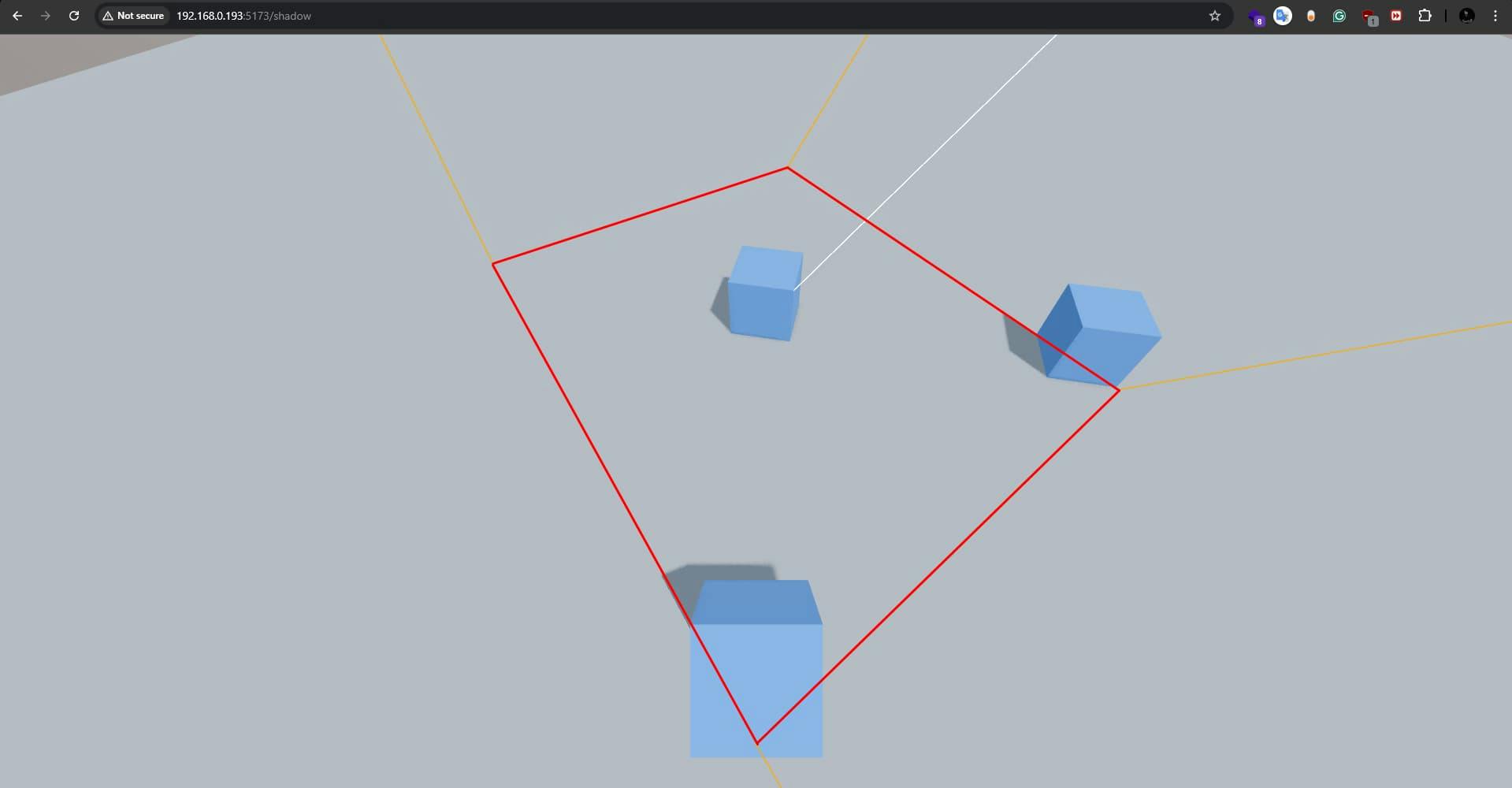
See that sharp line? That’s where the math stops and the heartbreak begins. 💔
To demonstrate this issue, let’s create a simple scene with a directional light, a plane, and a cube.
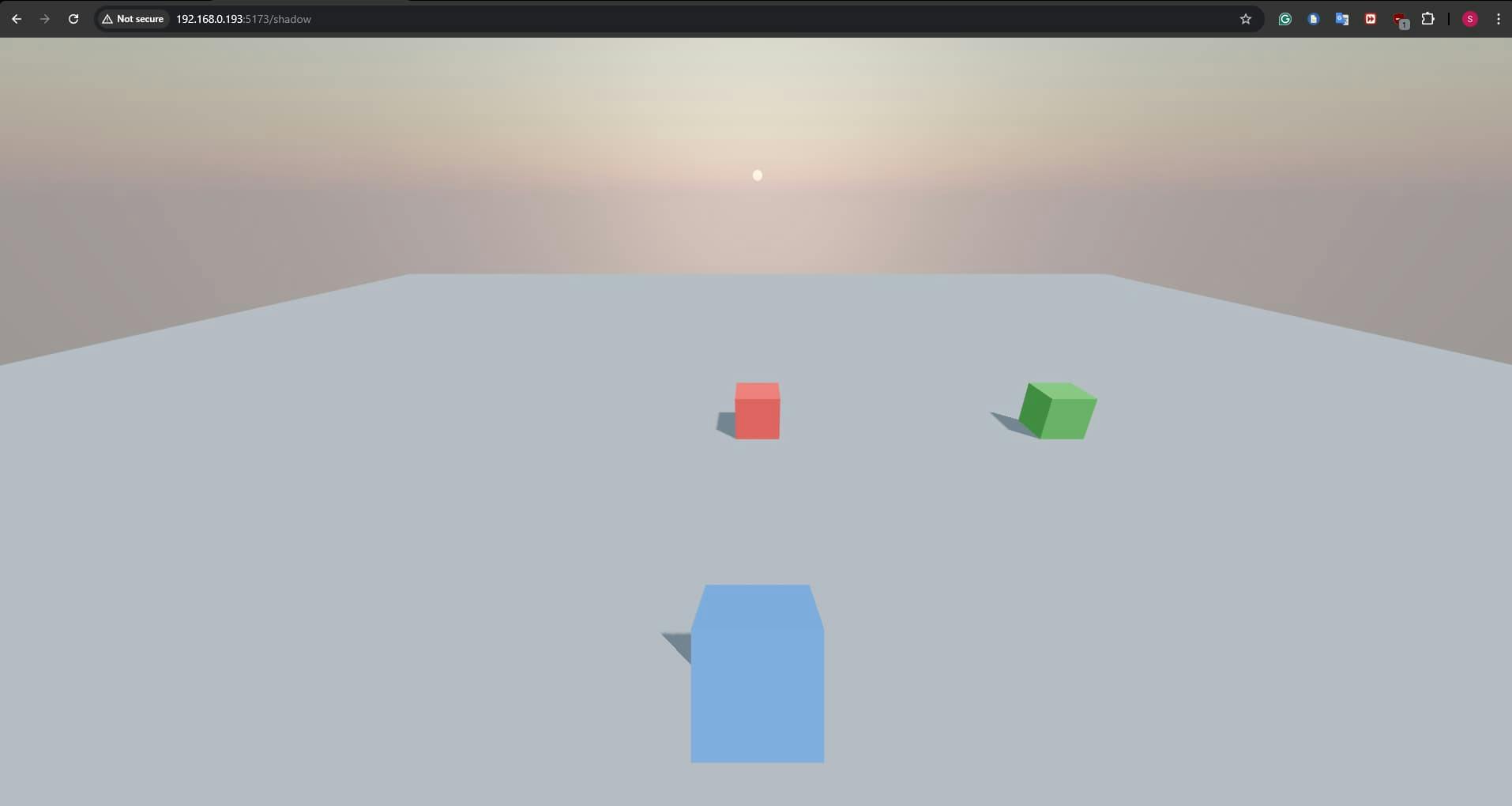
I have creted a route called shadow and added 2 files there
shadow/+page.svelte
<script>
  import { Canvas } from "@threlte/core";
  import Scene from "./Scene.svelte";
</script>

<div class="h-screen w-full bg-black">
  <canvas>
    <Scene />
  </canvas>
</div>
shadow/Scene.svelte
<script>
  import { T } from "@threlte/core";
  import { OrbitControls, Sky } from "@threlte/extras";
</script>

<T.PerspectiveCamera makeDefault position={[0, 5, 10]} fov={80}>
     <OrbitControls enableDamping />

     <!-- Blue Box -->
     <T.Mesh castShadow receiveShadow position={[0, -2, -4]}>
         <T.BoxGeometry args={[1, 1, 1]} />
         <T.MeshStandardMaterial color="#3b82f6" />
     </T.Mesh>

</T.PerspectiveCamera>

 <Sky />
 <T.AmbientLight intensity={0.5} />

<T.DirectionalLight position={[10, 20, 10]} intensity={5} castShadow></T.DirectionalLight>

 <!-- Ground Plane -->
<T.Mesh rotation={[-Math.PI / 2, 0, 0]} receiveShadow>
     <T.PlaneGeometry args={[50, 50]} />
     <T.MeshStandardMaterial color="#9ca3af" />
</T.Mesh>

 <!-- Red Box -->
<T.Mesh castShadow receiveShadow position={[0, 0.5, 0]}>
     <T.BoxGeometry args={[1, 1, 1]} />
     <T.MeshStandardMaterial color="#fe0032" />
</T.Mesh>

 <!-- Green Box -->
<T.Mesh castShadow receiveShadow position={[7, 0.5, 0]}>
     <T.BoxGeometry args={[1, 1, 1]} />
     <T.MeshStandardMaterial color="#0cbe42" />
</T.Mesh>
Note: We have 3 box in the scene. The blue box is parented to the camera. The red box stays in the center. The green box is half out of direction light. So currently the green and blue box having half shadow.
You can't fix what you can't see. So, let’s expose this invisible box using a CameraHelper. This is effectively "Developer Mode" for your lights.
We need to grab a reference to our light and pass its internal shadow.camera to a helper component.
<script>
    // rest of the code
    let dirLight;
</script>

    <!--Rest of the code -->

    <!--Add reference to the Existing directional light -->
    <T.DirectionalLight bind:ref="{dirLight}" position={[10,20,10]} castShadow />

    <!-- 🟡 Visualize the shadow camera's bounds -->
    {#if dirLight}
    <T.CameraHelper args={[dirLight.shadow.camera]} />
    {/if}

    <!--Rest of the code -->
Now, take a look at your scene:
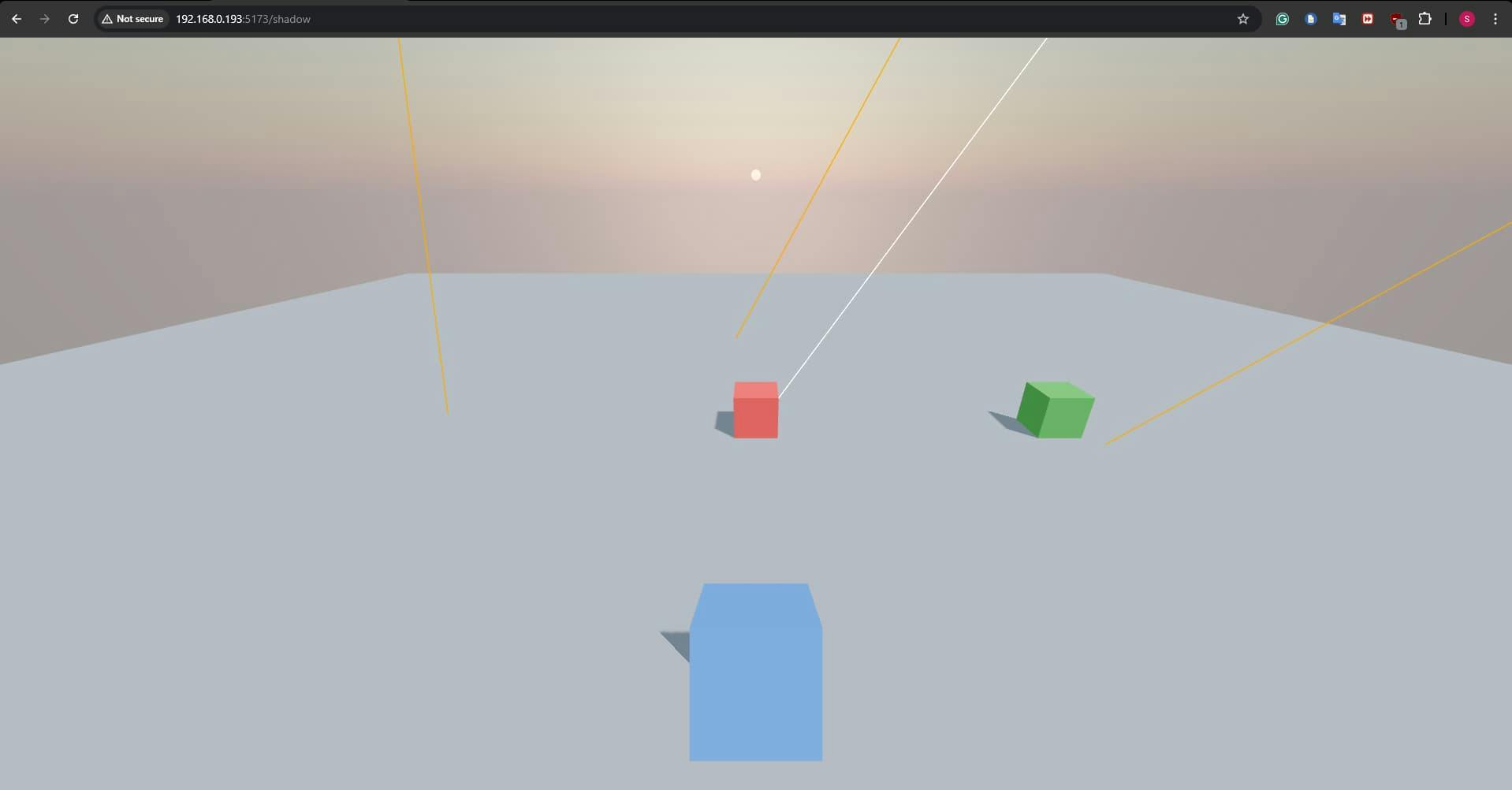
Aha! 💡 The yellow wireframe box shows exactly where shadows are born. Our blue object is drifting out of bounds, and the shadow dies at the edge.
Explanation: Directional lights mimic the sun, casting rays from infinitely far away. ☀️ But asking your GPU to calculate shadows for an infinite universe? That's a recipe for a melted computer. 🔥
To keep things performant, 3D engines like Three.js (the powerhouse behind Threlte) use a trick.
Threlte(readthree.js) only calculate shadows inside a specifically defined frustum (or "box").
The solution is deceptively simple: Expand the box!
We can manually control the dimensions of this orthographic shadow camera using specific props on the <T.DirectionalLight>. We need to adjust left, right, top, and bottom to cover our entire active scene.
<T.DirectionalLight
  bind:ref={dirLight}
  position={[10, 20, 10]}
  intensity={5}
  castShadow
  shadow.camera.left={-10}
  shadow.camera.right={10}
  shadow.camera.top={10}
  shadow.camera.bottom={-10}
  shadow.camera.near={0.1}
  shadow.camera.far={100}
  shadow.mapSize={[2048, 2048]}
/>
[!CAUTION] > ⚠️ The Resolution Trap
You might be tempted to set these values to
10000just to be safe. Don't!Your shadow map is a texture (image) with a fixed resolution (default is often 512x512). If you stretch that small image over a massive area, your pixels get huge, and your shadows will look like Minecraft blocks. 🧱
Fixed shadows are good, but beautiful shadows are better. By default, 3D shadows can look razor-sharp and unnatural. Real light diffuses.
Let's bring in the SoftShadows component from @threlte/extras. It uses a technique called PCSS (Percentage Closer Soft Shadows) to simulate realistic variable blur.

<script>
  import { SoftShadows } from '@threlte/extras'
</script>

<!-- 🎨 Add this to your scene for instant realism -->
<SoftShadows size={25} focus={0.5} samples={10} />
size: How "physically big" the light source is. Bigger light = softer shadows. ☁️focus: enhancing the sharpness at the contact point. 🎯samples: quality of the noise lookup. Higher is better but more expensive. 📉Here is your copy-paste-ready snippet:
<script>
	import { T } from '@threlte/core';
	import { OrbitControls, Sky } from '@threlte/extras';
	import { SoftShadows } from '@threlte/extras';
	let dirLight;
</script>

<T.PerspectiveCamera makeDefault position={[0, 5, 10]} fov={80}>
	<OrbitControls enableDamping />

	<T.Mesh castShadow receiveShadow position={[0, -2, -4]}>
		<T.BoxGeometry args={[1, 1, 1]} />
		<T.MeshStandardMaterial color="#3b82f6" />
	</T.Mesh>
</T.PerspectiveCamera>

<Sky />
<T.AmbientLight intensity={0.5} />

<SoftShadows size={30} focus={0.5} samples={10} />

<T.DirectionalLight
	bind:ref={dirLight}
	position={[10, 20, 10]}
	intensity={5}
	castShadow
	shadow.camera.left={-10}
	shadow.camera.right={10}
	shadow.camera.bottom={-10}
	shadow.camera.top={10}
	shadow.camera.near={0.01}
	shadow.camera.far={100}
	shadow.mapSize={[2048, 2048]}
></T.DirectionalLight>

{#if dirLight}
	<T.CameraHelper args={[dirLight.shadow.camera]} />
{/if}

<T.Mesh rotation={[-Math.PI / 2, 0, 0]} receiveShadow>
	<T.PlaneGeometry args={[50, 50]} />
	<T.MeshStandardMaterial color="#9ca3af" />
</T.Mesh>

<T.Mesh castShadow receiveShadow position={[0, 0.5, 0]}>
	<T.BoxGeometry args={[1, 1, 1]} />
	<T.MeshStandardMaterial color="#fe0032" />
</T.Mesh>

<T.Mesh castShadow receiveShadow position={[7, 0.5, 0]}>
	<T.BoxGeometry args={[1, 1, 1]} />
	<T.MeshStandardMaterial color="#0cbe42" />
</T.Mesh>
Now go build something incredible! 🚀 Note: If you face issue related to shadow map glitch or stripes, try adjusting the shadow.bias (try -0.0001)!
Getting the "Invalid wkhtmltopdf version" error in Frappe or ERPNext? Learn how to fix broken PDFs, install the patched Qt version, and switch to headless Chrome for pixel-perfect modern CSS and custom font support.

Learn how to quickly expose a localhost server to your local network on Windows using netsh portproxy. A step-by-step guide to accessing local apps from any device.
Learn how to enhance your Frappe Desk UI by adding a custom, dynamic top bar. Follow this beginner-friendly, step-by-step tutorial to display user profiles, statuses, and more!